
Weekly business hours
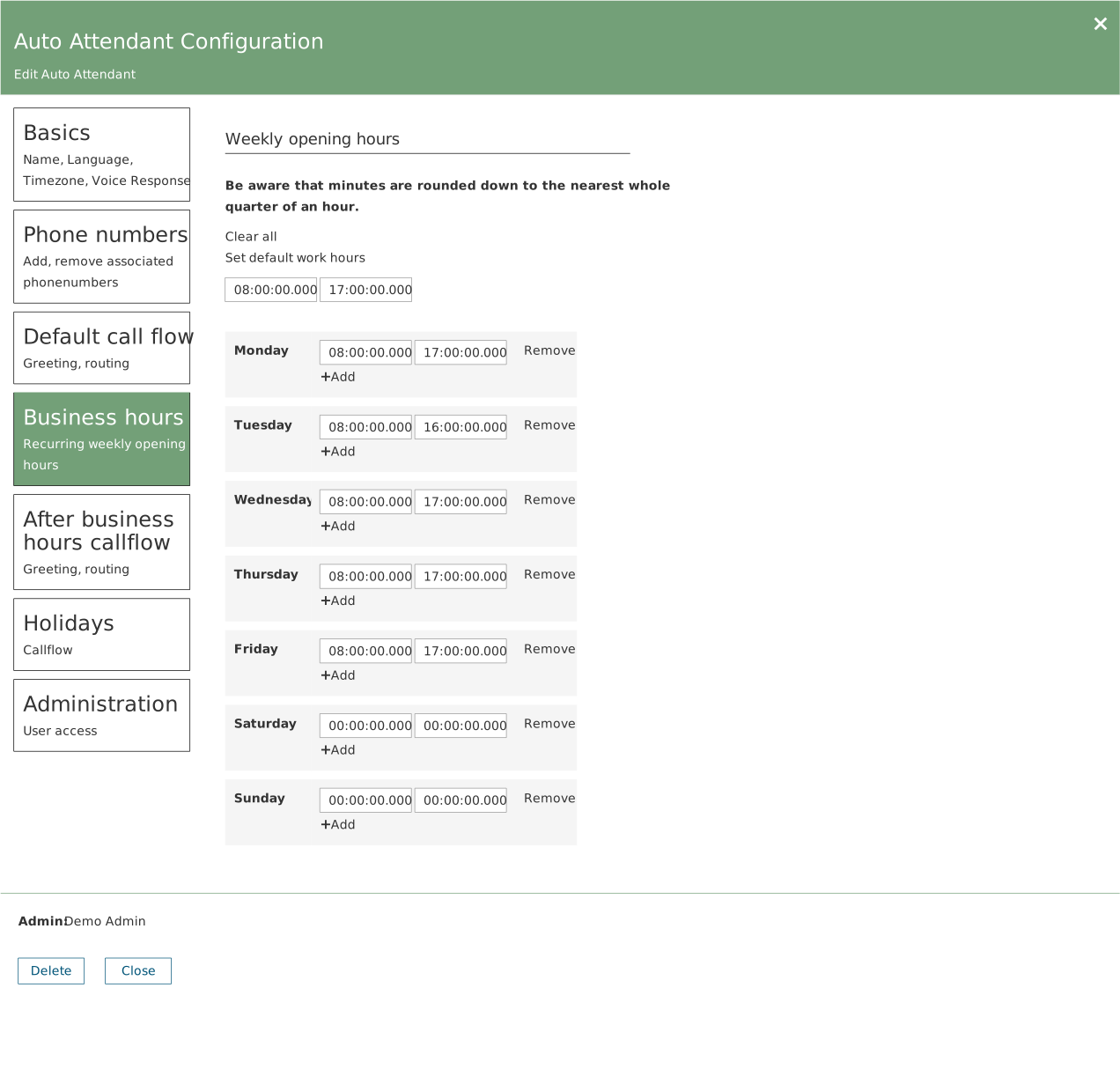
Open the auto attendant and choose Business hours. You get one row per weekday with a start and an end time.
- Set default work hours fills in every weekday at once. Then adjust the days that differ.
- + Add adds another interval on the same day — use it for a lunch closure.
- Remove deletes an interval.
- Clear all empties the whole schedule.
Minutes are rounded down
The panel states it itself: minutes are rounded down to the nearest quarter hour. Enter 08:20 and 08:15 applies.
The time zone matters
Business hours are calculated using the time zone set under Basics. It must match the department the number serves — not the person setting it up.
Holidays
Under Holidays you add the dates on which normal business hours do not apply. Each row has a name, a schedule, an action and a target. Holidays override the ordinary weekly schedule.
Consider entering the whole year's holidays in one go while you are in the environment.