
Access is granted per object, not per system. Every auto attendant and every queue has its own Administration section with its own list of administrators.
Why it is worth using
This is the mechanism behind the whole delegation argument. The head receptionist gets access to the reception queue — not to the Teams Admin Center. Day-to-day operation moves away from IT without opening up broader rights.
How to do it
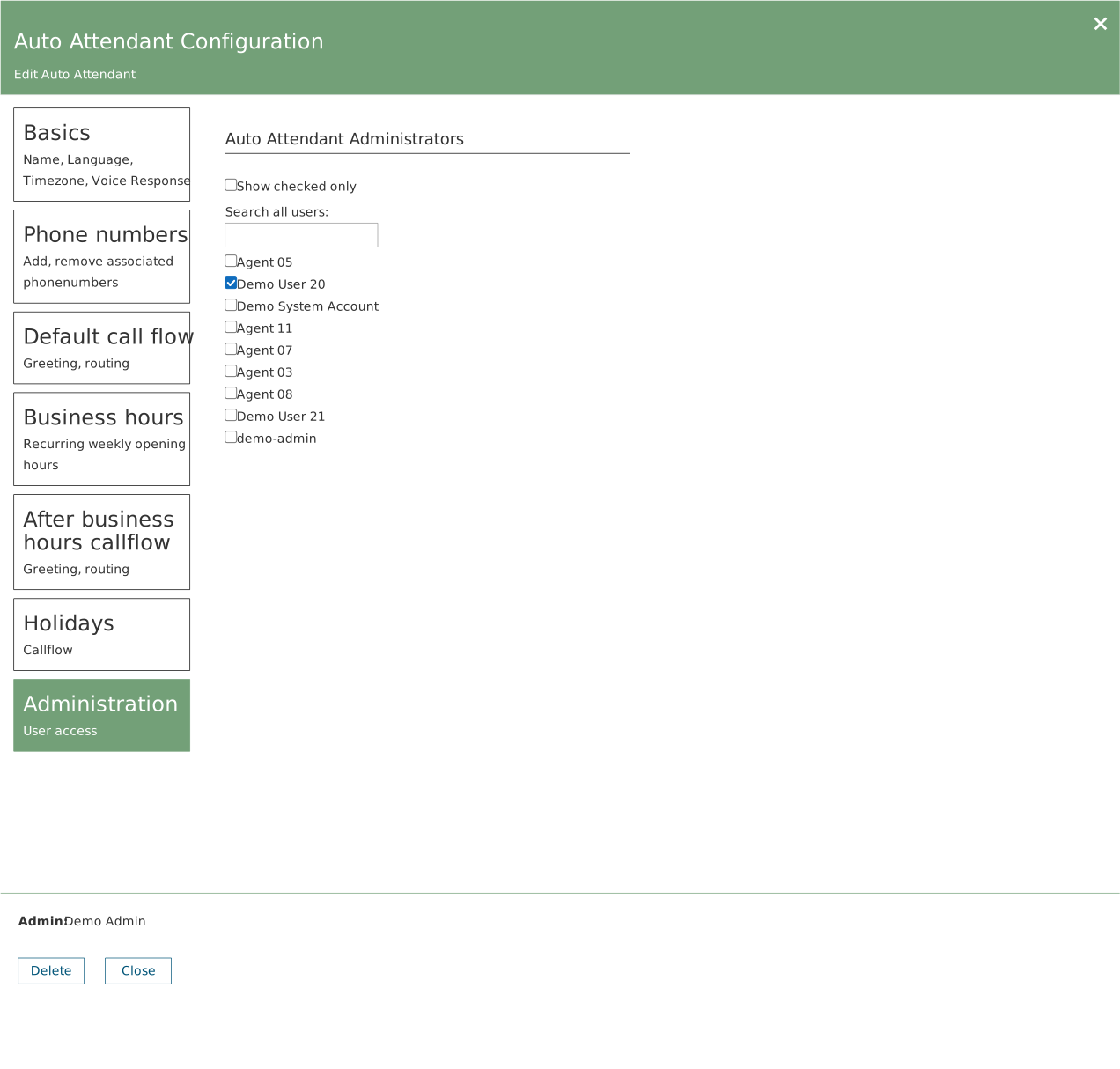
Open the object, choose Administration, search for the user and tick them. The Show checked only filter shows just those already selected.
Two practical consequences
- There is no consolidated role overview. To find out who can edit what, you have to open the objects one at a time. Consider keeping a record outside the system.
- The Admin field is not an access statement. The name at the bottom of the panel shows who created the object. It says nothing about who may change it.
Do it at handover
Set access up while you are in the environment. If you do not, users end up contacting IT to have a business hour changed — and then self-service has not been achieved.