
As a Teams Phone administrator you already have somewhere to look at your numbers. Under Voice → Phone numbers in the Microsoft Teams admin center you can see the numbers the tenant knows, who they are assigned to, and what type they are.
DDI Manager solves a different problem. It is where your numbers live: which ranges you have received from your carriers, how many numbers are available in each, what they are used for, and how consumption has developed over time. The Teams admin center administers Teams. DDI Manager keeps the books on the numbers.
Finding your way around
DDI Manager sits in the Coherence top menu. The landing page is titled DDI Manager with the subtitle User and DDI configuration, and it holds four tiles.
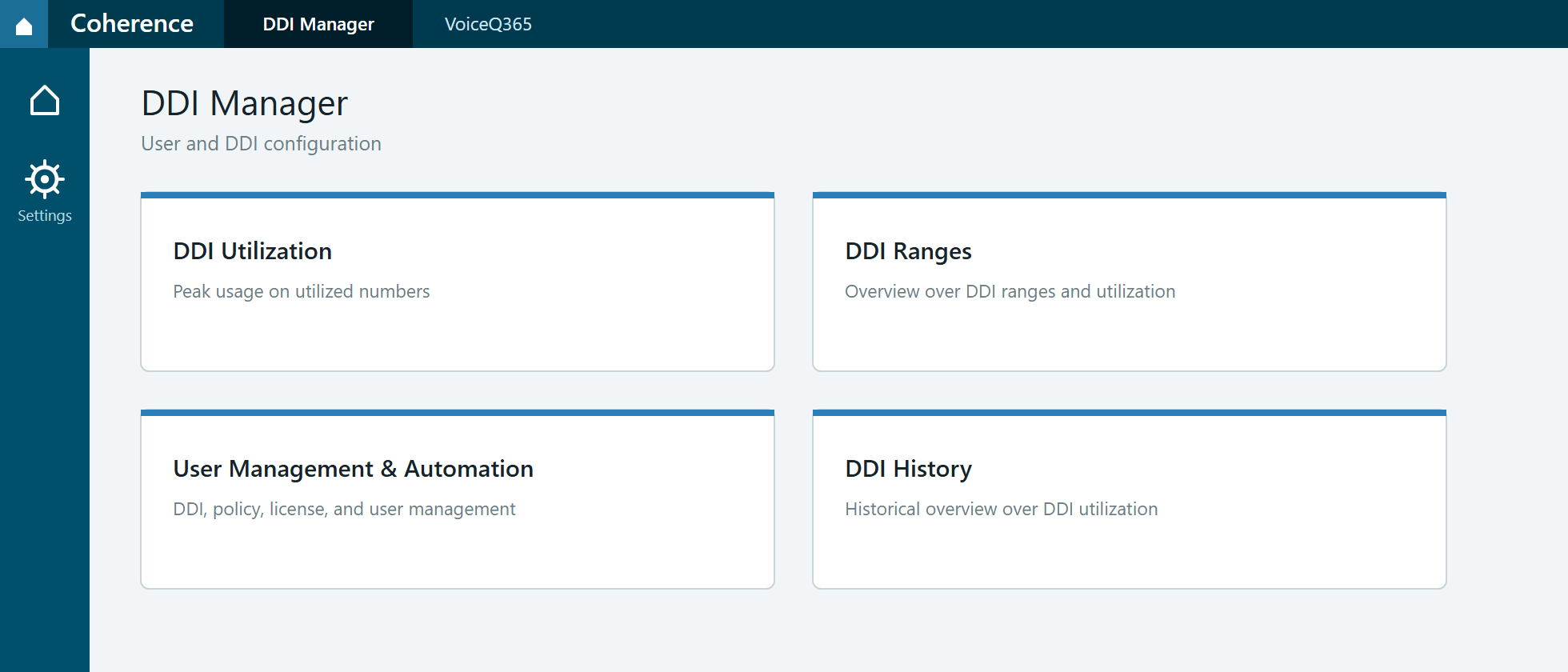
- DDI Ranges — What you use it for: The day-to-day working view. Here you see your number ranges with carrier, connectivity type, available numbers and utilisation — and you unfold a range to see the individual numbers and who holds them
- User Management & Automation — What you use it for: Provisioning. Here you assign a number to a user and see licences, policies and location across every user
- DDI Utilization — What you use it for: The highest number of numbers in use during a period, and when that peak occurred. This is the basis for contract and invoicing
- DDI History — What you use it for: Development over time — month by month, up to two years back or the full history
On the left there is a gear icon. It leads to the settings, where number ranges are created and labels are administered.
What DDI Manager is not
This matters as much as what the product does.
- It does not replace the Microsoft Teams admin center. Your Teams configuration stays where it is
- It does not replace Microsoft Entra ID. Users and groups still belong there
- It does not replace your carrier's systems. Orders, porting and invoicing still go through the provider
- Performance Metrics is not a telecoms operator. We do not supply the number or the connection itself
DDI Manager does not exchange data with legacy PBXs or contact centre platforms either. If a number is used on another platform, it will not find its own way into the picture — somebody has to write it in. See Labels in DDI Manager.
The prerequisite
DDI Manager builds on your existing Microsoft Teams Phone. You do not have to rework your setup to get an overview of the numbers.
Everything in DDI Manager starts from number ranges. Before a number can be assigned, labelled or counted, it has to exist in a range. That is why the next article is about exactly those.
Where to go next
- Number ranges — what they are and how to read them
- Create a number range
- Assign a number to a user
- Labels in DDI Manager