
An auto attendant has two call flows: one for business hours and one for the rest of the day. They are configured separately and have the same fields.
Default call flow
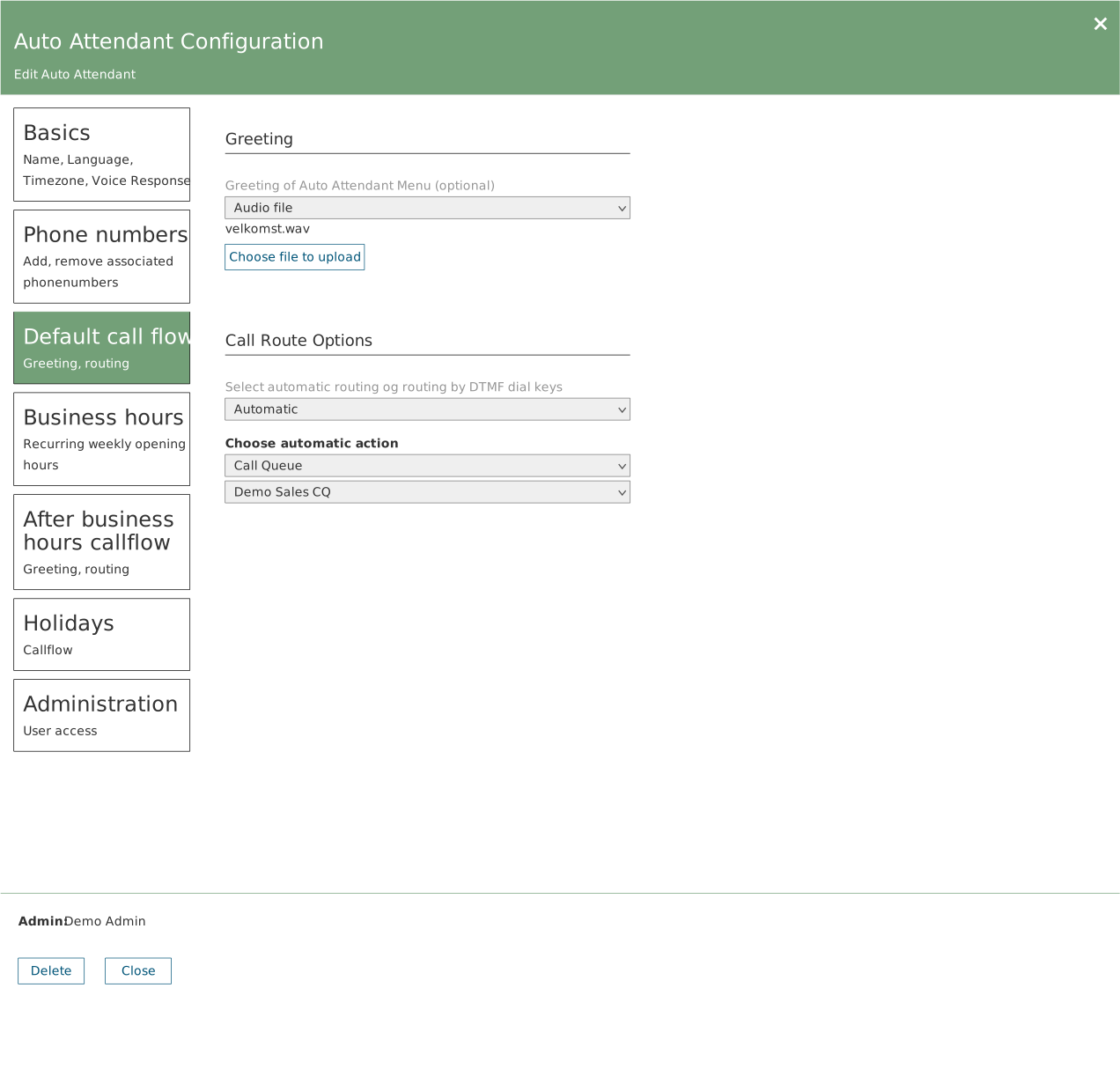
Applies during business hours. Two parts: the greeting and the routing.
- Greeting — No greeting, Audio file or Text to speech. For an audio file, the file name is shown with a bin icon along with the Choose file to upload button.
- Call Route Options — Automatic sends every call to the same place. DTMF gives you a menu where each key is configured separately.
Available actions
With automatic routing: None, Hang up, Phone number, User, Call Queue, Auto Attendant, Shared voicemail.
With DTMF, each key can additionally point to Announcement and Operator.
If you choose a type that requires a specific target, an extra dropdown appears with the possible targets. Auto attendants are shown as Name (Ivr) and queues as Name (Queue).
After business hours callflow
The same set of fields, applying outside the business hours you set under Business hours.
If this is not configured, calls are treated the same around the clock. There is no warning — it is the most common omission in inherited environments.