
Before you enable callback, decide the eligibility thresholds and verify that music-on-hold duration, queue timeout and exception handling leave enough time for the complete callback flow.
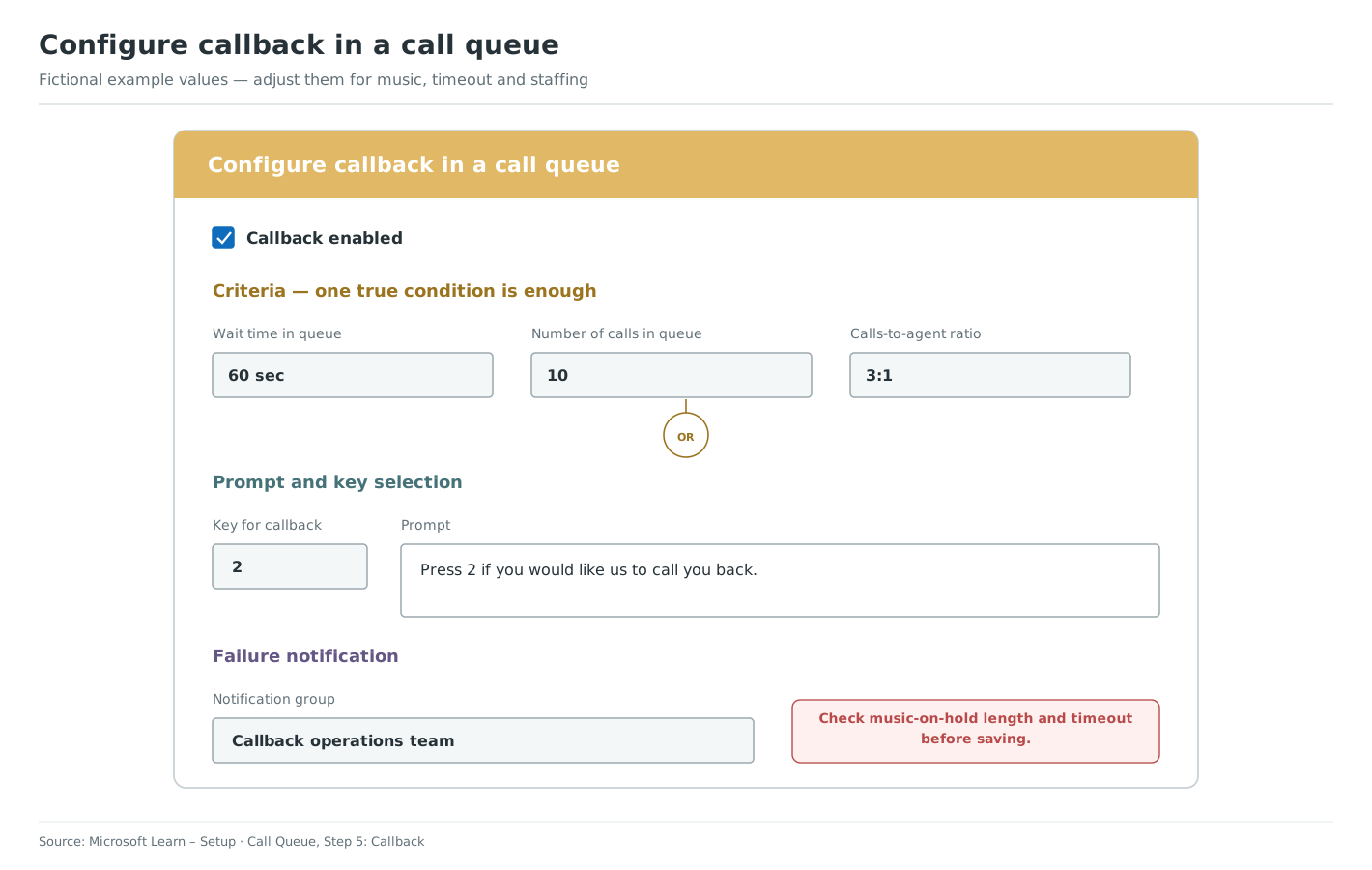
Configure callback
- Open the call queue in VoiceQ365 Call Flow Designer and go to the callback settings.
- Enable callback.
- Enable the relevant conditions and enter their thresholds. A caller is eligible when any one enabled condition is true.
- Choose or record the callback prompt and select the key the caller must press.
- Configure the callback failure group and an email address that is actively monitored.
- Save and apply the call queue changes.
Test before production use
- Call from a public telephone number in E.164 format.
- Test each enabled condition separately.
- Confirm that the prompt is played after the music-on-hold file finishes.
- Accept callback and verify that the returned call reaches the waiting agent.
- Force a failed callback and confirm that the notification reaches the configured mailbox.
Use Microsoft's callback configuration reference to compare the supported conditions and requirements.
Part 5 of 5 in Setup
Previous topic: Configure overflow, timeout and calls without available agents
Also relevant: Understand callback and when it is offered · Plan callback music, timeout and overflow · Troubleshoot callback in a call queue