
The order matters. Dropdown lists can only point to objects that already exist, so you build backwards: recipients first, then queues, and finally auto attendants and numbers.
Before you open the tool
Settle three things with the customer. They take ten minutes and save an hour of reconfiguration.
- Who should be able to maintain what. This determines how you set up Administration, and it is the customer's decision, not yours.
- Business hours per department — including lunch closures and days that differ. Note that minutes are rounded down to the nearest quarter hour.
- What should happen out of hours, on timeout and on overflow. These are three separate situations in the product, and the customer has typically only thought about the first.
The build order
- Create the reserve queue. The queue everything else falls back to. Click + in the yellow column header. Name it so it is recognisable in a dropdown — it appears as Name (Queue).
- Create the primary queues. One per function the customer wants to measure. Resist the temptation to create fewer and use key presses instead — it makes Call Analytics less useful afterwards.
- Set agents and routing method. Under Call answering. See Call queues: agents and routing method for the difference between the four methods.
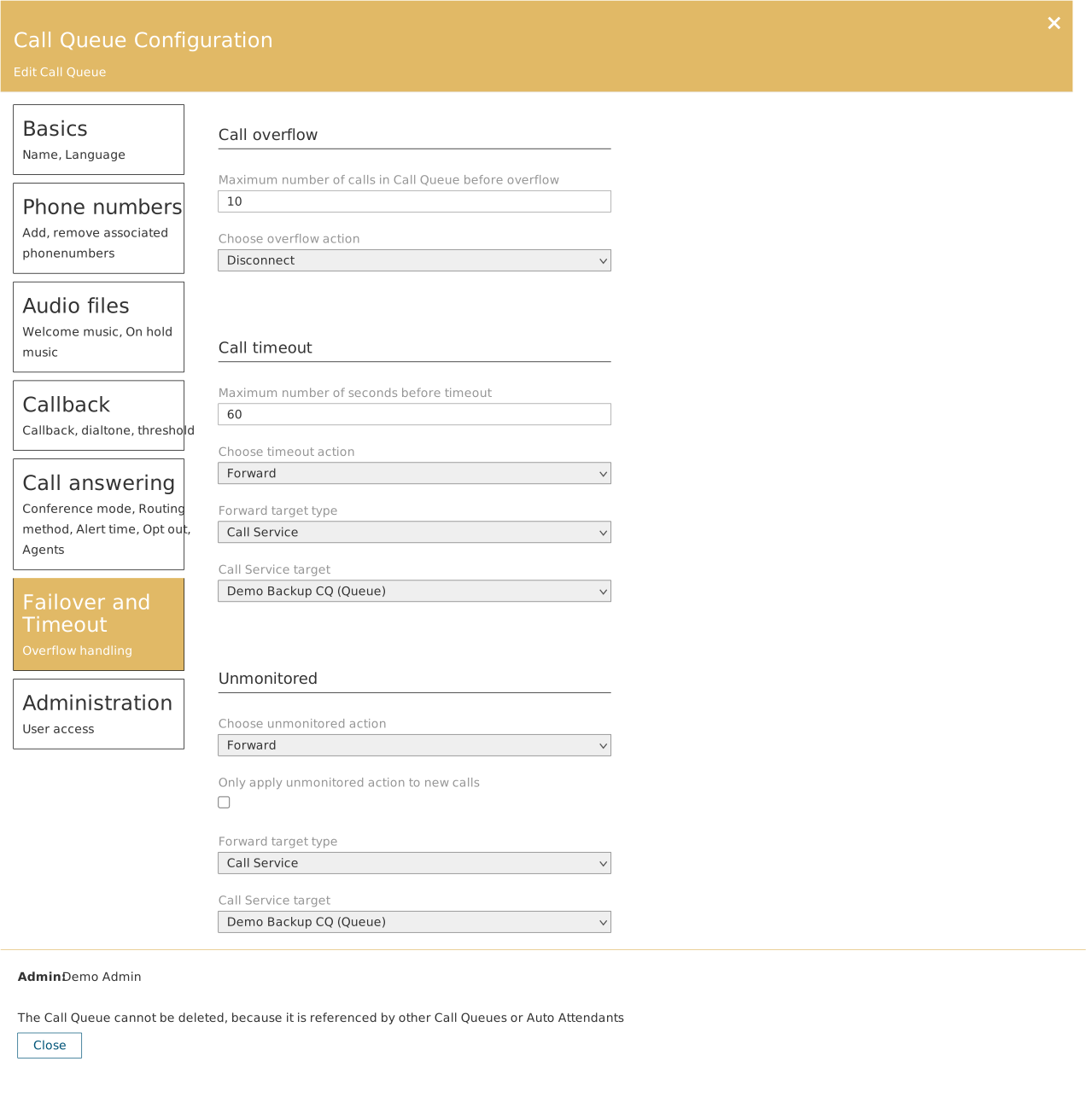
- Set the fallback on each queue. Failover and Timeout. Three independent situations — overflow, timeout and unmonitored. Point them all at the reserve queue until the customer has a better answer.
- Create the auto attendants. Set Language and Time Zone straight away. The time zone must match the department the number serves — not you.
- Define business hours. Set default work hours fills in every weekday at once. Then adjust the days that differ, and use + Add for multiple intervals on the same day.
- Set both call flows. Default call flow for business hours and After business hours callflow for out of hours. Skip the last one and calls are treated identically around the clock — the most common error in a rushed implementation.
- Attach numbers. Phone numbers → Add phonenumber. The canvas now draws the line into the auto attendant.
- Add holidays. Holidays. Do it for the whole current year while you are in the environment.
- Delegate. Administration on each object. This is where the implementation turns into operation.
- Walk the canvas with the customer. A missing mark means a missing setting. Use the picture as the handover document.
Use the canvas as a deliverable
A screenshot of the finished canvas is the best documentation the customer gets. It shows the whole setup on one page, and the marks explain the conditions without accompanying text.