
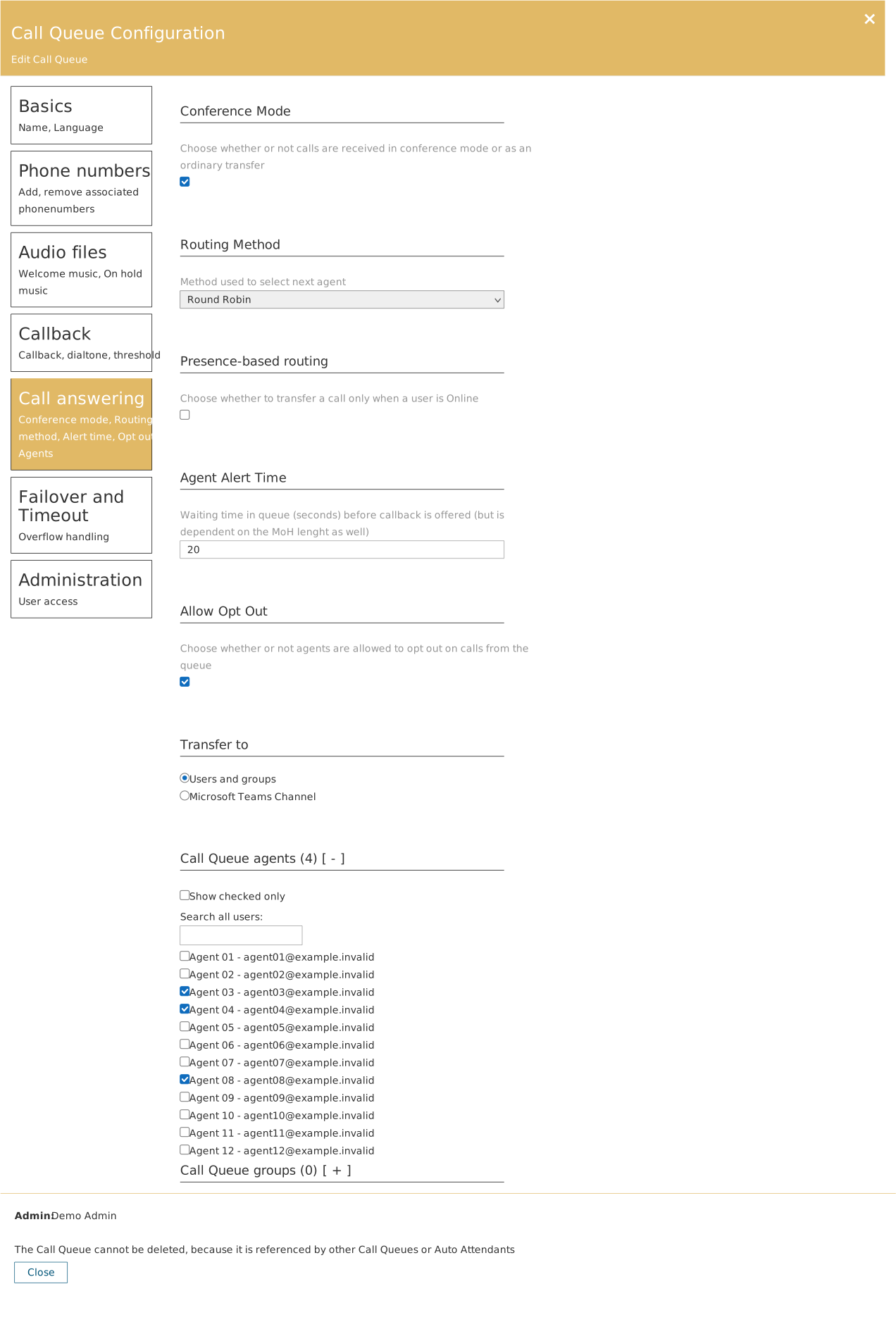
Under Call answering on a call queue you configure who receives calls and in what order.
Routing methods
| Method | Behaviour | Suits |
|---|---|---|
| Attendant | All agents ring at once | Small teams where the fastest possible answer matters most |
| Longest Idle | The agent who has been free the longest | Even distribution of load |
| Round Robin | In turn | The default choice for most customer service teams |
| Serial | Fixed order | Escalation flows where the order is deliberate |
Other settings
- Conference Mode — whether calls are received in conference mode or as an ordinary transfer.
- Presence-based routing — only forward to a user whose Teams presence is Online.
- Agent Alert Time — how long a call is presented to an agent before it moves on.
- Allow Opt Out — whether agents may opt themselves out of queue calls.
- Transfer to — Users and groups or Microsoft Teams Channel.
Assign agents
At the bottom sits Call Queue agents with the count in brackets. Search for users and tick them. The Show checked only filter shows just those already selected.