
Click an auto attendant on the canvas to open Auto Attendant Configuration. The panel has seven sections.
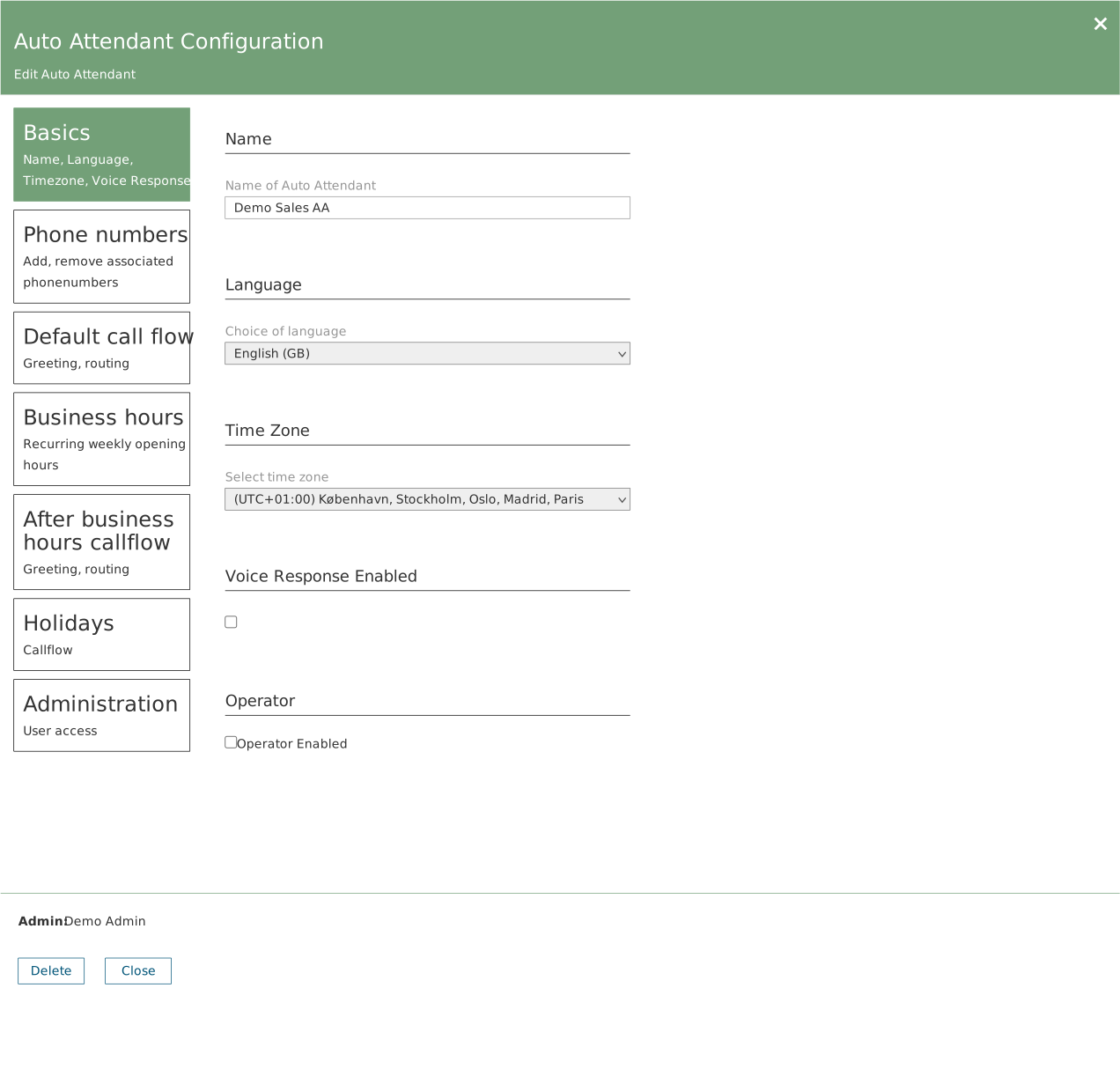
Basics
| Field | Description |
|---|---|
| Name | The name. Shown on the canvas and in dropdowns as Name (Ivr). |
| Language | The language used for spoken messages. |
| Time Zone | The time zone business hours and holidays are calculated against. |
| Voice Response Enabled | Enables voice control so the caller can speak their choice. |
| Operator Enabled | Enables an operator, which can then be selected as a target. |
Phone numbers
Numbers pointing at this auto attendant, shown as a numbered list. Add phonenumber adds a new one. Click an existing entry to edit or remove it.
Default call flow and After business hours callflow
| Field | Description |
|---|---|
| Greeting | No greeting, Audio file or Text to speech. For an audio file the file name is shown with a bin icon and a Choose file to upload button. |
| Call Route Options | Automatic sends every call to the same place. DTMF gives you a menu where each key is configured separately. |
| Action (automatic routing) | None, Hang up, Phone number, User, Call Queue, Auto Attendant or Shared voicemail. |
| Action (DTMF, per key) | The same choices, plus Announcement and Operator. |
| Target | Appears when the action needs one. Auto attendants are shown as Name (Ivr) and queues as Name (Queue). |
Both flows have the same fields. The first applies during business hours, the second for the rest of the day. See the separate article on call flows.
Business hours
| Control | Does |
|---|---|
| Weekday rows | One row per weekday with a start and an end time. |
| Set default work hours | Fills in every weekday at once. Adjust the days that differ afterwards. |
| + Add | Adds another interval on the same day — use it for a lunch closure. |
| Remove | Deletes an interval. |
| Clear all | Empties the whole schedule. |
Minutes are rounded down to the nearest quarter hour: enter 08:20 and 08:15 applies. Business hours are calculated in the time zone set under Basics. See the separate article on business hours.
Holidays
A table with the columns Name, Schedule, Action and Target. Click the plus to add a row.
Administration
A list of users allowed to administer this auto attendant. Search field and the Show checked only filter.
The bottom of the panel
The Admin field shows who created the object — that is metadata, not an access statement. The Update button only becomes active once a field has been changed.