
Click a queue on the canvas to open Call Queue Configuration. The panel has seven sections.
Basics
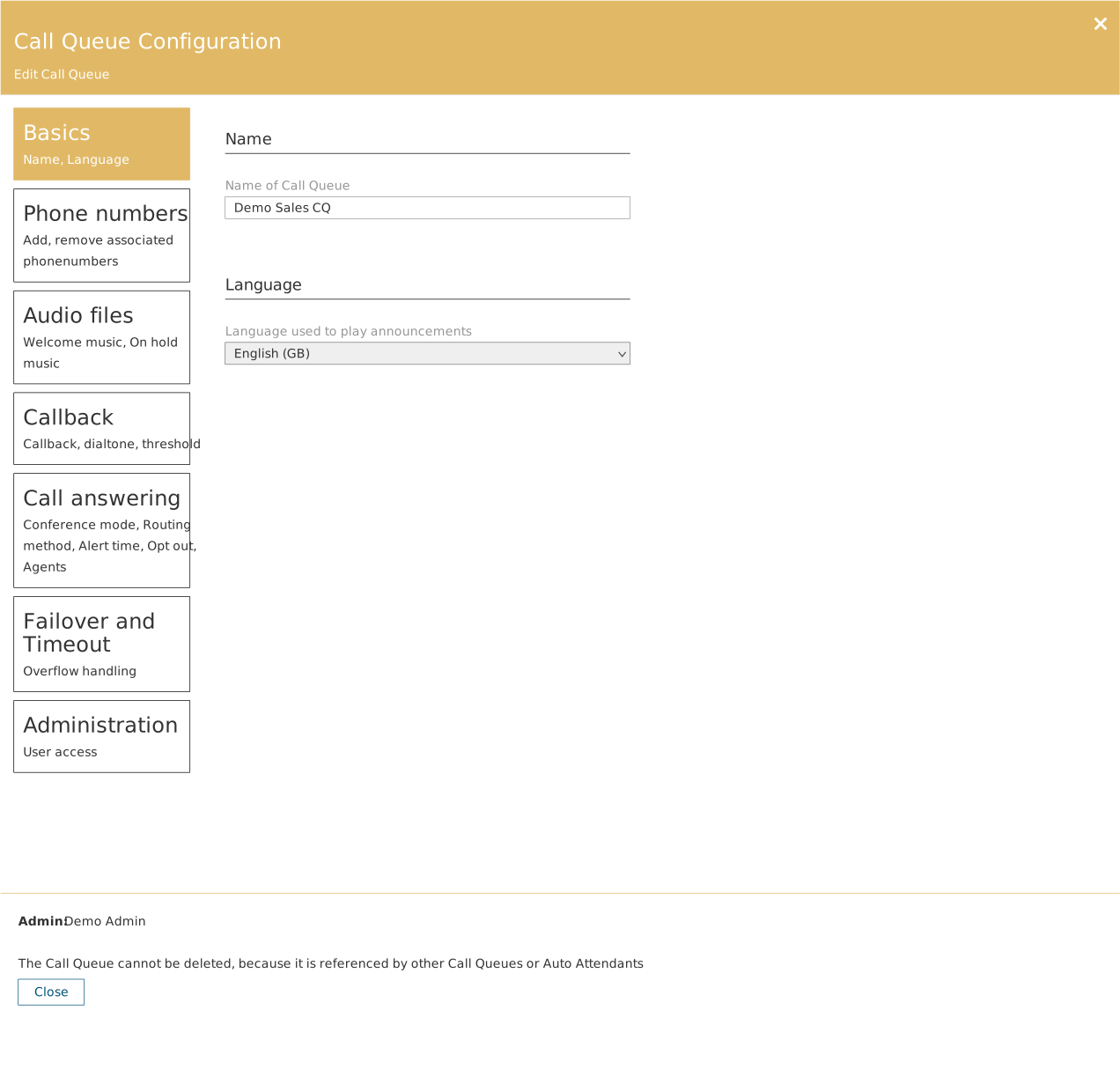
| Field | Description |
|---|---|
| Name | The name. Shown on the canvas and in dropdowns as Name (Queue). |
| Language | The language used for spoken messages and text to speech. |
Phone numbers
Numbers pointing directly at the queue, bypassing an auto attendant.
Audio files
| Field | Description |
|---|---|
| Greeting | Audio played when the call enters the queue. Audio file or Text to speech. |
| Music On Hold | Audio played while the caller waits. |
Callback
| Field | Description |
|---|---|
| Callback enabled | Turns the feature on. |
| Key to press to receive callback | The key the caller presses to accept the offer. |
| Waiting time in queue | How long the caller must have waited before the offer is made. Depends on the length of the hold music. |
| Number of calls in queue | The minimum number of calls that must be queuing. |
| Call to agent ratio | The ratio of queued calls to agents that must be reached before a call qualifies. |
| Prompt | The message the offer is made with. Audio file or Text to speech. |
| When callback could not be completed | The group notified by email if a callback times out of the queue or cannot be completed. |
All three thresholds must be met at the same time. See the separate article on callback.
Call answering
| Field | Description |
|---|---|
| Conference Mode | Whether calls are received in conference mode or as an ordinary transfer. |
| Routing method | Attendant, Longest Idle, Round Robin or Serial. |
| Presence-based routing | Only forward to a user whose Teams presence is Online. |
| Agent Alert Time | How long a call is presented to an agent before it moves on. |
| Allow Opt Out | Whether agents may opt themselves out of queue calls. |
| Transfer to | Users and groups, or Microsoft Teams Channel. |
| Call Queue agents | The agent list at the bottom, with the count in brackets. Search for users and tick them. |
See the separate article on agents and routing method.
Failover and Timeout
| Situation | Triggered when | Fields |
|---|---|---|
| Call overflow | The number of calls in the queue exceeds the limit | Maximum calls before overflow, plus an action |
| Call timeout | A call has waited longer than allowed | Maximum seconds before timeout, plus an action |
| Unmonitored | No agents are available | An action, plus Only apply unmonitored action to new calls |
Actions are Disconnect, Forward or Shared Voicemail. Unmonitored additionally offers No action, which drops the call. See the separate article.
Administration
Under the heading Queue Administrators you tick the users allowed to edit the queue.
The bottom of the panel
The Admin field shows who created the object. If the queue is referenced by other objects, the Delete button is absent and the panel explains why.