
The answering service — the seven pages
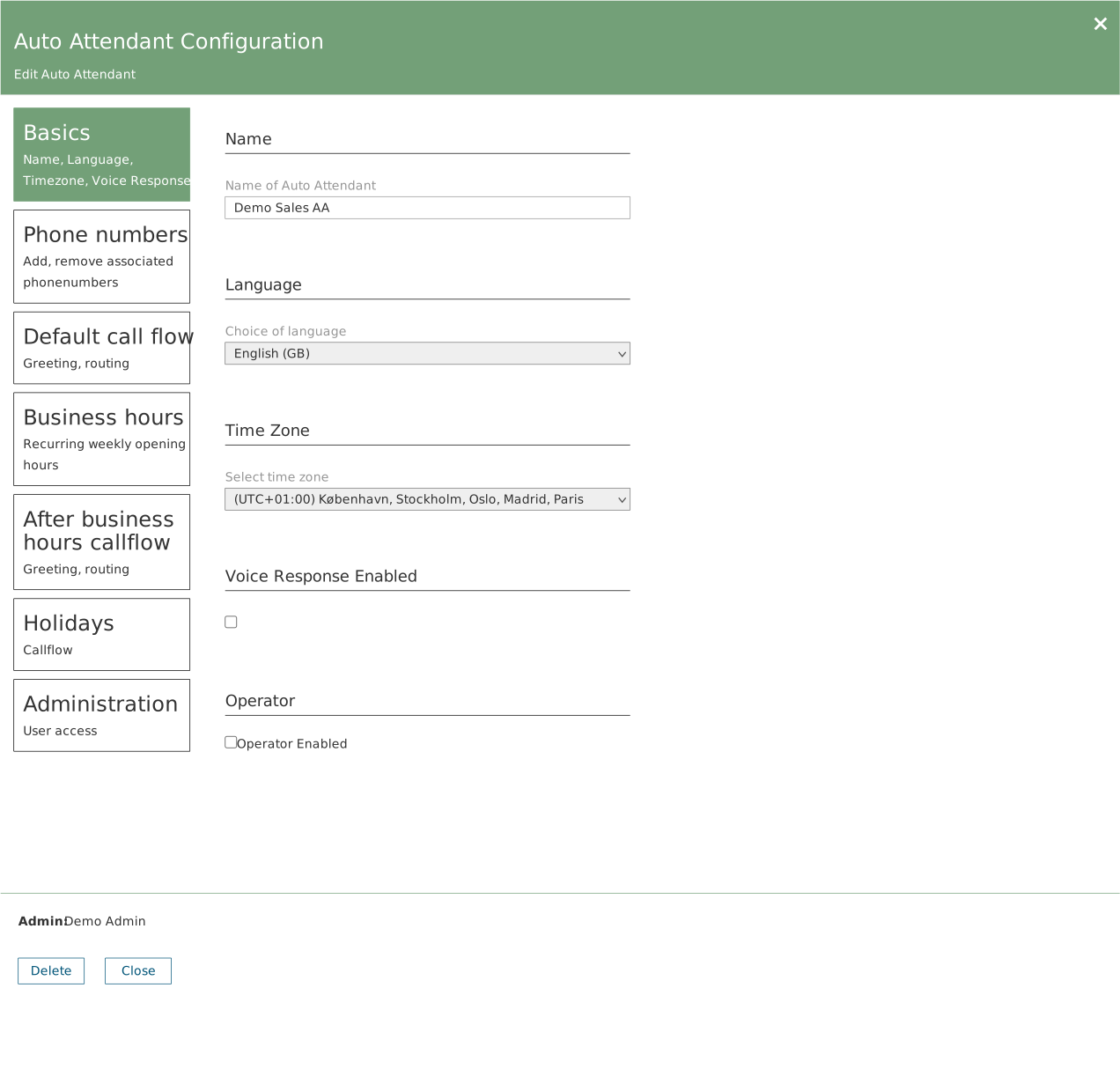
The seven pages sit as buttons down the left-hand side. The one you are on is green. The name at the bottom next to Admin is whoever originally created the line — it says nothing about who may edit it.
| Page | What you can do there |
|---|---|
| Basics | Name, language and time zone. The time zone determines when the opening hours apply. |
| Phone numbers | See which numbers lead here. |
| Default call flow | Welcome message and what happens during opening hours. |
| Business hours | Your opening hours, week by week. |
| After business hours callflow | What happens outside opening hours. |
| Holidays | Public holidays and closure days. |
| Administration | Who may change this line. |
Automatic or key press
Under Default call flow you choose between two ways of passing the call on:
- Automatic — all calls go to the same place. Simple and predictable.
- DTMF — the caller gets a menu and has to press a number. If you choose this, you set up each key separately: what happens on 1, what happens on 2, and so on.
In both cases the call can be sent to a waiting queue, a specific member of staff, another phone number, another answering service, a shared voicemail — or ended.
The waiting queue — the seven pages
| Page | What you can do there |
|---|---|
| Basics | Name and language for the messages the system reads aloud. |
| Phone numbers | Numbers that go straight into the queue, bypassing an answering service. |
| Audio files | Welcome audio and hold music. |
| Callback | An offer to call back instead of waiting. |
| Call answering | Staff, order, and how long each person gets the call. |
| Failover and Timeout | What happens when the queue is full, the wait is too long, or nobody is at work. |
| Administration | Who may change this queue. |
Callback
Callback lets the caller give up their place in the queue in exchange for being rung back when their turn comes. Three things must be true at the same time:
- A certain number of seconds must have been waited
- There must be a certain number of calls in the queue
- The ratio of calls to available staff must be above a certain limit
Do not set the limits too high. If all three are set tightly, callback is in practice never offered. Start with low values and adjust once you have seen how it behaves.
When nobody answers
Under Failover and Timeout there are three different situations. They are easy to confuse, but each means something different.
| Situation | When it arises |
|---|---|
| Call overflow | There are too many calls in the queue at once. |
| Call timeout | One call has waited too long. |
| Unmonitored | No staff are available at all. |
For each of them you choose what should happen: end the call, pass it on, or leave a message on a shared voicemail.
Check the last one. Unmonitored can be set to No action. Then nothing happens when nobody is at work — the call simply disappears. It is worth getting right.