
The first thing you see is a picture of your whole setup. It may look overwhelming at first, but it follows one simple rule: the call moves from left to right.
The four columns
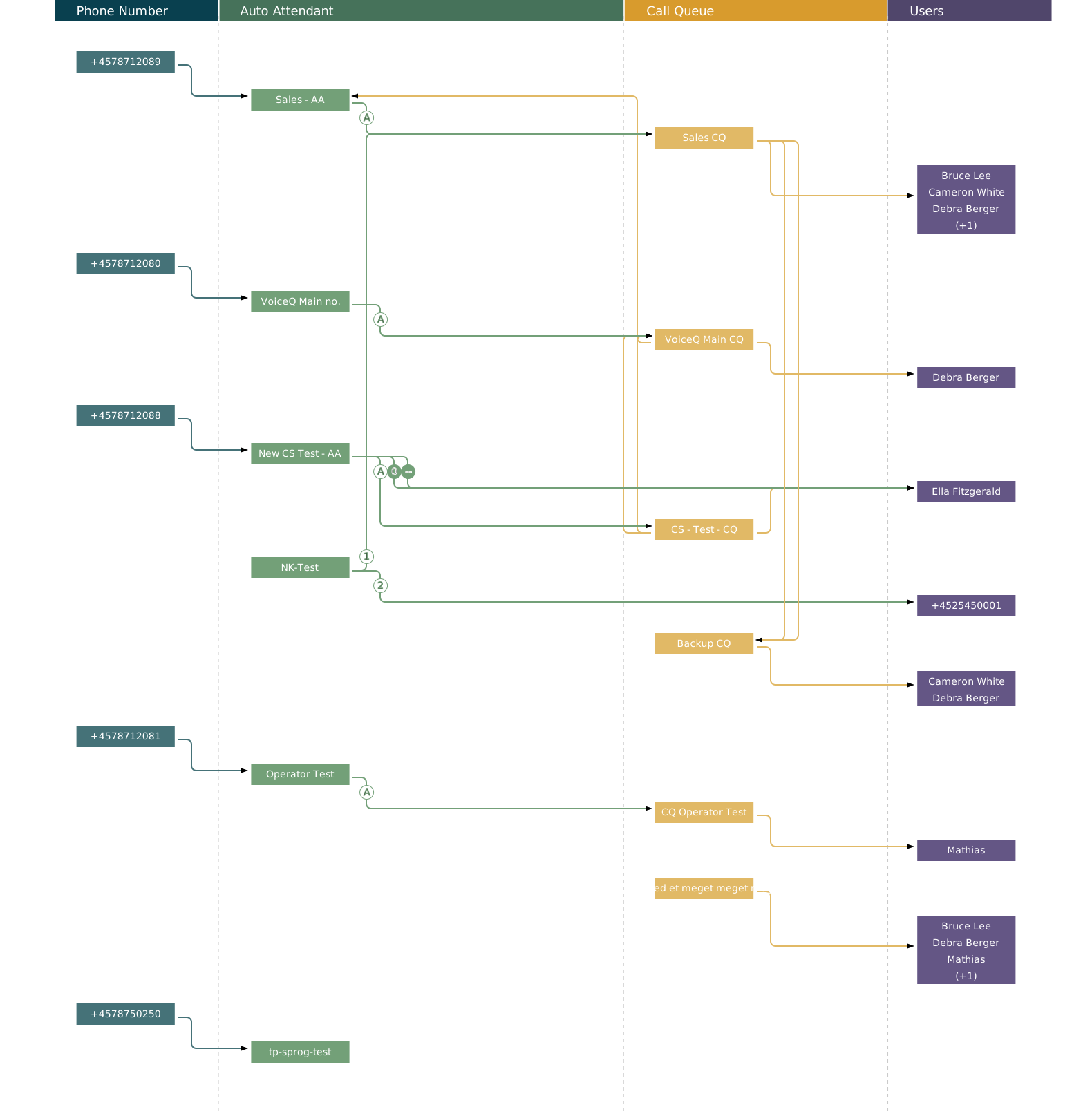
| Column | What is in it |
|---|---|
| Phone Number | Your phone numbers. This is where the call begins. |
| Auto Attendant | The automated answering service. It welcomes the caller and passes the call on — either automatically or after a key press. |
| Call Queue | The waiting queue. The call waits here until a member of staff is free. |
| Users | The people who end up answering the phone. |
Follow a single call
Click a phone number in the left-hand column. The rest of the picture fades, and only the route that call takes stands out clearly.
It is the fastest way to answer "what happens when someone rings this number?". Click an empty spot to see everything again.
Try it first. Before you change anything at all, click around a couple of numbers and see where they lead. You cannot break anything by looking.
The little round marks
On the lines between the boxes sit small circles. They explain why the call goes that particular way. Hover over one and an explanation appears in plain language.
| Mark | Means |
|---|---|
| A | The call is passed on automatically, without anyone having to press anything. |
| A number | The caller pressed that key. If the circle is filled in, it applies outside opening hours. |
| A dash | The call goes to the switchboard. |
| A clock | The caller waited too long and the call was passed on. |
| A no-entry sign | No staff were available, so the call was passed on. |
The marks are your shortcut. Want to know whether anyone has actually decided what happens after closing time? Look for the marks. No mark means the setting has not been made.
"Last updated"
At the top right it says when the overview was last fetched from Microsoft Teams. If your IT department has just changed something, it can take a moment before it appears here. Click the circular arrow beside it to fetch the latest.