
Start with the observed symptom and follow the checks in order. Record timestamps for queue entry, eligibility, end of music on hold, prompt, callback request and agent answer.
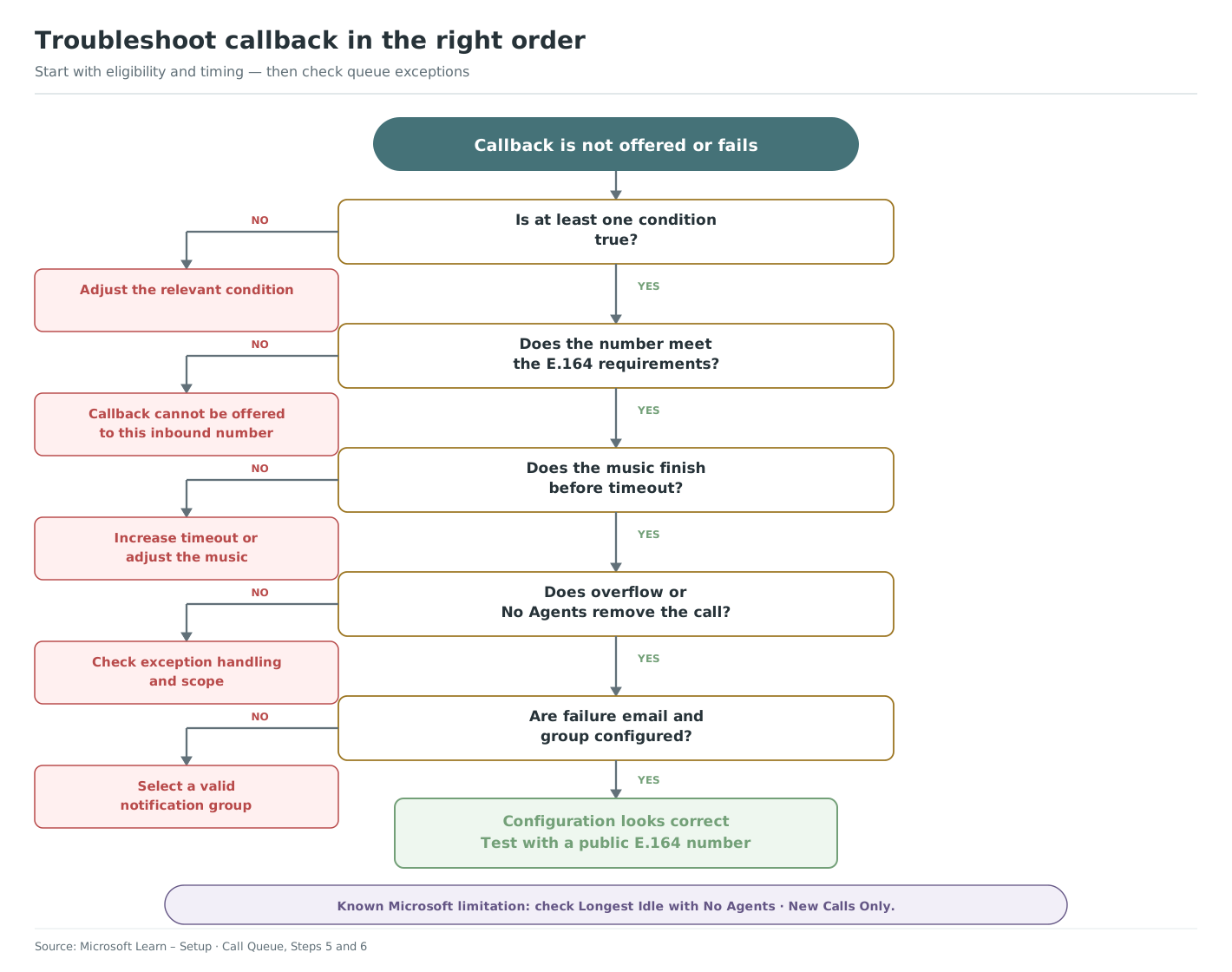
Callback is not offered
- Confirm that at least one enabled condition is true. The conditions use OR, not AND.
- For wait time, test the caller at the front of the queue. Number-of-calls and calls-to-agent-ratio conditions apply to new callers.
- Verify that the caller presents a public, non-premium E.164 number.
- Confirm the call is not already being presented to an agent.
- Compare the remaining music-on-hold duration with the queue timeout.
The request is accepted but does not complete
- Ensure the queue timeout leaves time for an agent to become available and answer.
- Check overflow and no-agent handling.
- Review the mailbox configured for callback failures.
- If using Longest Idle with the no-agents option set to New calls only, note Microsoft's documented limitation for already queued calls; test All calls where appropriate.
Evidence to collect
Record the queue name, anonymous test number pattern, enabled conditions and values, music-on-hold duration, timeout, overflow, no-agent mode, routing method and the timestamps from the test. Never include a real customer's name or full telephone number in screenshots or support material.
Compare the result with Microsoft's references for callback, callback timeouts and exception handling.
Related configuration: Configure callback in a call queue · Plan callback music, timeout and overflow · Troubleshoot calls that follow the wrong route