
Callback lets an eligible caller keep their place in a Microsoft Teams call queue without staying on the line. When an agent becomes available, Teams calls the caller back and connects the call to the agent.
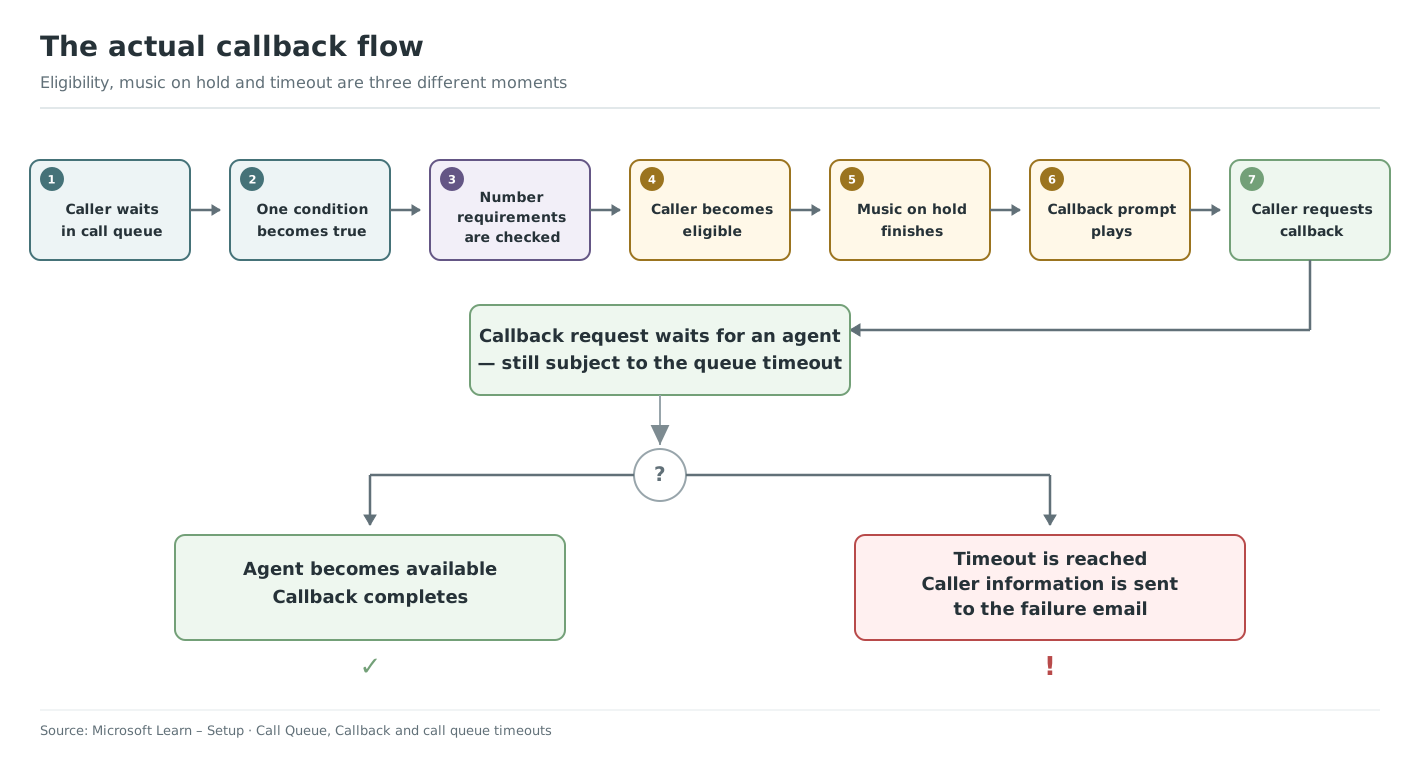
A caller becomes eligible when any one condition is true
You can enable one or more conditions. The conditions are evaluated with OR: the caller is eligible when at least one enabled condition is met.
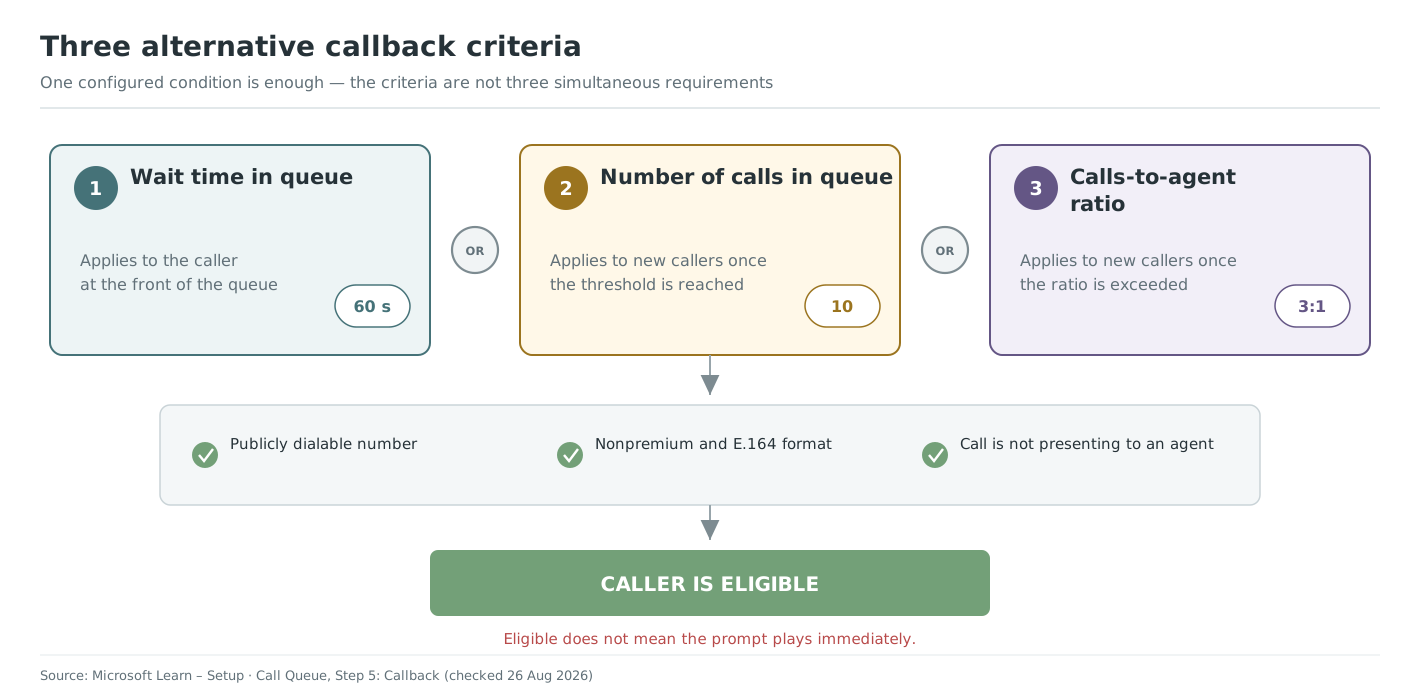
- Wait time: applies to the caller at the front of the queue after the configured wait.
- Number of calls: applies to new callers when the queue reaches the configured number.
- Calls-to-agent ratio: applies to new callers when the ratio reaches the configured value.
Eligibility is not the same as hearing the callback prompt
The prompt is played only after the current music-on-hold file has finished. The caller must present a public, non-premium telephone number in E.164 format, and the call must not already be offered to an agent.
Microsoft documents the conditions and number requirements in Step 5: Callback.
Part 1 of 3 in Callback in Microsoft Teams
Continue with: Plan callback music, timeout and overflow
Also relevant: Configure callback in VoiceQ365 Call Flow Designer