
A phone number on its own does not make a working user. You also need a licence, a voice routing policy that decides where calls may go, a dial plan that translates short numbers, and a location that determines which licences can be assigned at all.
All four are set from the same place: the User configuration panel under User Management & Automation. Click a user in the table to open it.
Usage location
edit next to Usage location opens a list of countries, each with its ISO code and dialling code — DK (+45), NO (+47), GB (+44) and so on. Choose one and click Done.
The location is not cosmetic. It determines which licences Microsoft will let you assign. If the location is wrong, you can end up holding a licence that cannot be applied to the user.
Licenses
edit next to Licenses shows the whole tenant's licence pool, not just the user's own.
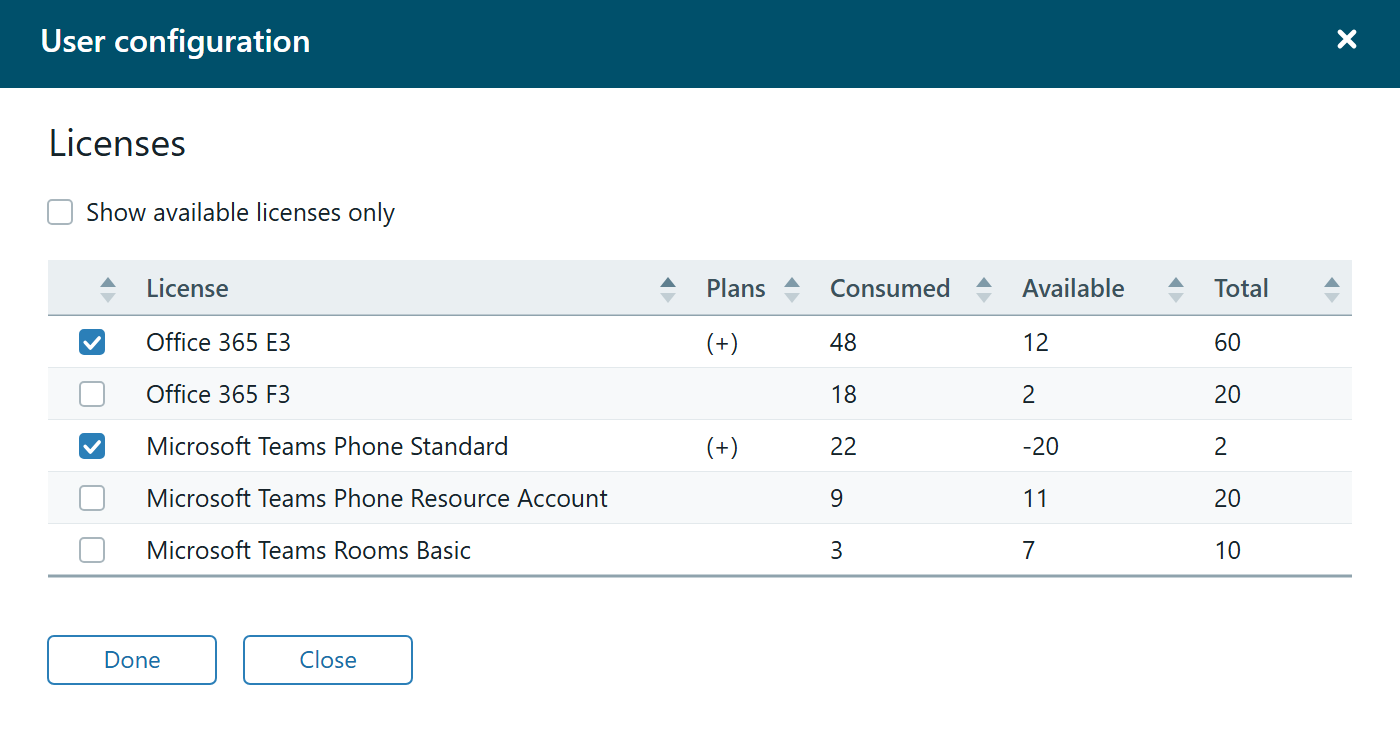
- License — What it shows: The licence name
- Plans — What it shows: A
(+)next to the licences the user holds. Unfolds the service plans - Consumed — What it shows: How many licences are in use across the whole tenant
- Available — What it shows: How many are left
- Total — What it shows: The size of the pool
Tick or untick a licence and click Done.
At the top sits the checkbox Show available licenses only. Switch it on and the list narrows to the licences there is actually something left of — the quickest way to avoid picking something you do not have.
Available can be negative. If it reads -20, twenty more licences have been assigned than were bought. That is not a display error but a signal: either more need buying, or some need clearing up. The figure is easy to miss, and it is worth looking at now and then.
Policies
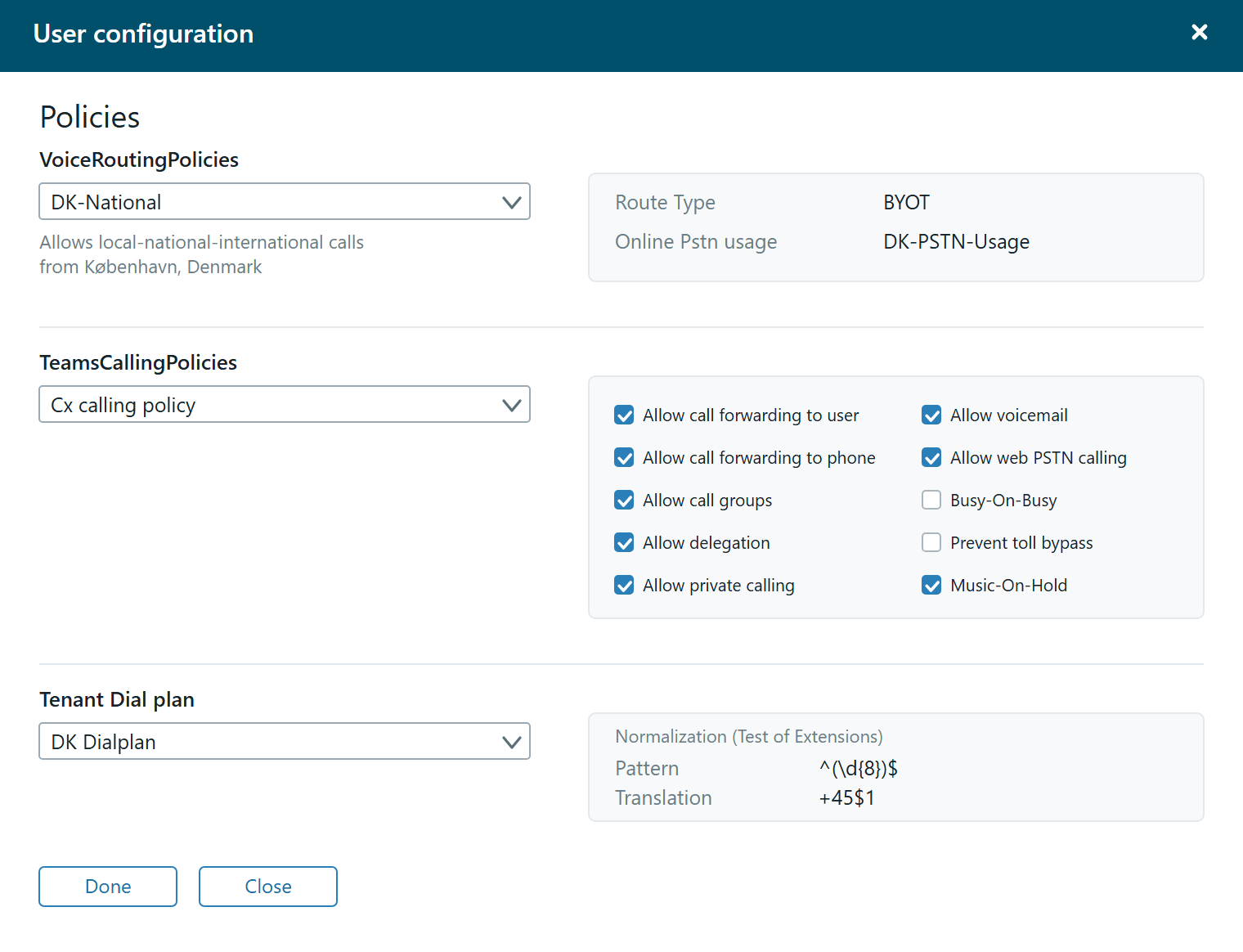
edit next to Policies opens the richest view in DDI Manager. It has three sections, and each shows not just a choice but what that choice actually means.
VoiceRoutingPolicies
Determines where the user's calls may go. Below the dropdown sits the policy's description — for example "Allows local-national-international calls from København, Denmark" — and alongside it:
- Route Type — for example
BYOT, bring your own trunk - Online Pstn usage — the PSTN usage the policy hangs on
TeamsCallingPolicies
Determines what the user may do in the Teams client itself. Next to the dropdown, the policy's settings are unfolded:
- Allow call forwarding to user
- Allow call forwarding to phone
- Allow call groups
- Allow delegation
- Allow private calling
- Allow voicemail
- Allow web PSTN calling
- Busy-On-Busy
- Prevent toll bypass
- Music-On-Hold
This is what makes the view useful: if you have ten policies with similar names, you can see the difference directly instead of guessing from the name.
Tenant Dial plan
Determines how short numbers are translated into full ones. Next to the dropdown sits the normalisation rule under Normalization (Test of Extensions):
- Pattern — the pattern that is recognised, for example
^(\d{8})$ - Translation — what it becomes, for example
+45$1
Read together, the example means: if somebody dials eight digits, +45 is put in front. That is the kind of thing that otherwise requires a look-up in the Teams admin center.
Choose in the three dropdowns and click Done.
The order matters
If a new starter has to be set up from scratch, the safest order is:
- Usage location first — it determines what can be assigned
- Licenses next — without a licence the rest does not work
- Line Uri — see Assign a number to a user
- Policies last — once the number is in place, the policies decide what may happen with it