
When you create a label, you tick one or more capabilities. They are fixed — you cannot define new ones yourself. The name is the free part.
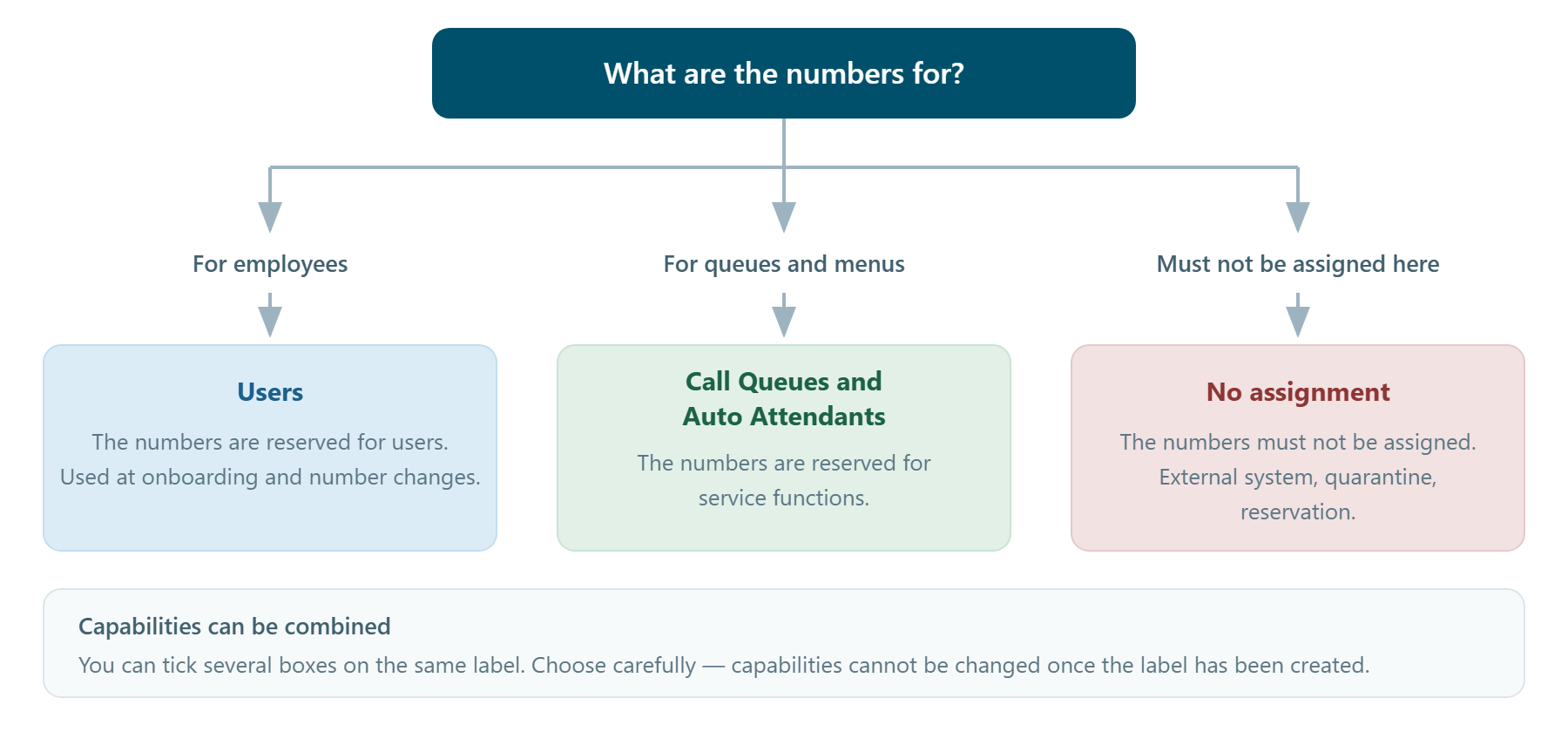
- No assignment — What it declares: Marks the numbers as not intended for assignment in DDI Manager. · Typical use in a mixed estate: Numbers in use on a legacy PBX or a contact centre, alarm and fax lines, numbers in quarantine, ranges ordered but not yet ported.
- Users — What it declares: Marks the numbers as intended for ordinary users. · Typical use in a mixed estate: Teams Phone onboarding, number changes, the pool each country unit may assign from.
- Call Queues and Auto Attendants — What it declares: Marks the numbers as intended for service functions. · Typical use in a mixed estate: Main numbers, support lines, opening-hours menus — the numbers that hang on resource accounts.
A marking, not necessarily a block
The capability is first and foremost a declaration of purpose that is visible to every administrator. How firmly it is enforced at the moment of assignment depends on your setup. Confirm this with Performance Metrics before you base a process solely on the system blocking the action — until then, the value lies in the visibility the label provides.
Call Queues and Auto Attendants are a single capability
There is no separate "Call Queue only" and "Auto Attendant only" capability. The two are combined into one choice. If you want to distinguish between them, do it in the name of the label — for example "DK · Call queues" and "DK · Auto attendants", both carrying the same capability.
The fourth checkbox
In the screenshots you can see a fourth option, Auto provisioning. It belongs to automated number assignment and is not covered by this article. Leave it untouched unless you have agreed otherwise with Performance Metrics.
Capabilities can be combined
You can tick several boxes on the same label, and the overview shows them together in the Capability column. In practice this is rarely necessary: one label with one clear purpose is easier to understand for the person who has to read the label out in the number overview six months later.
Which capability should I choose?
Important before you create
Capabilities cannot be changed after the label has been created. If you choose wrongly, the label has to be deleted and created again — and the numbers reassigned. Spend a moment getting it right the first time.