Microsoft Teams Phone solutions | Performance Metrics Skip to content


Clear insights for the business. Easier administration for IT.

We make Teams Phone easier to see, understand and manage.

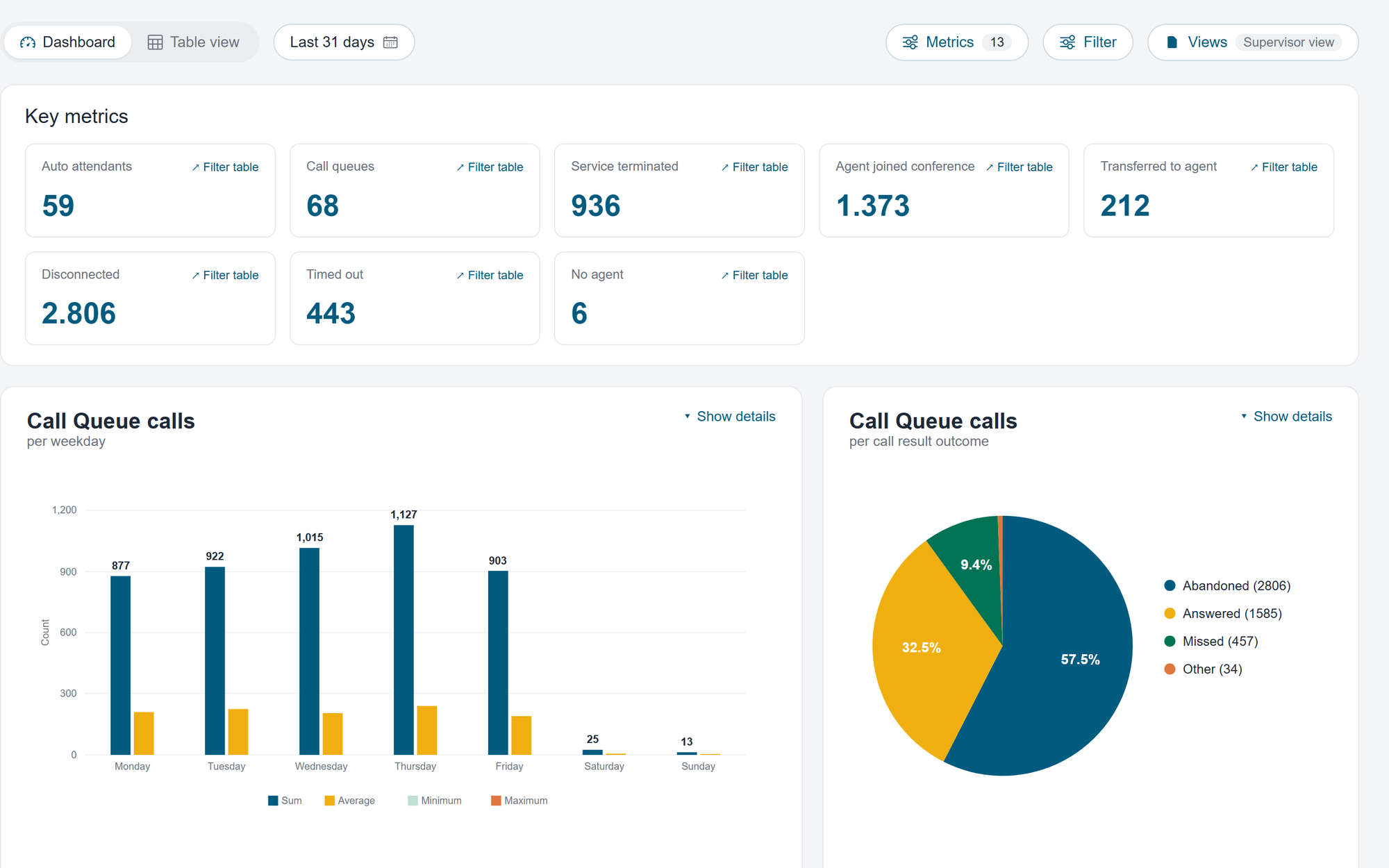
See current call activity, understand trends over time and manage Teams Phone more easily.
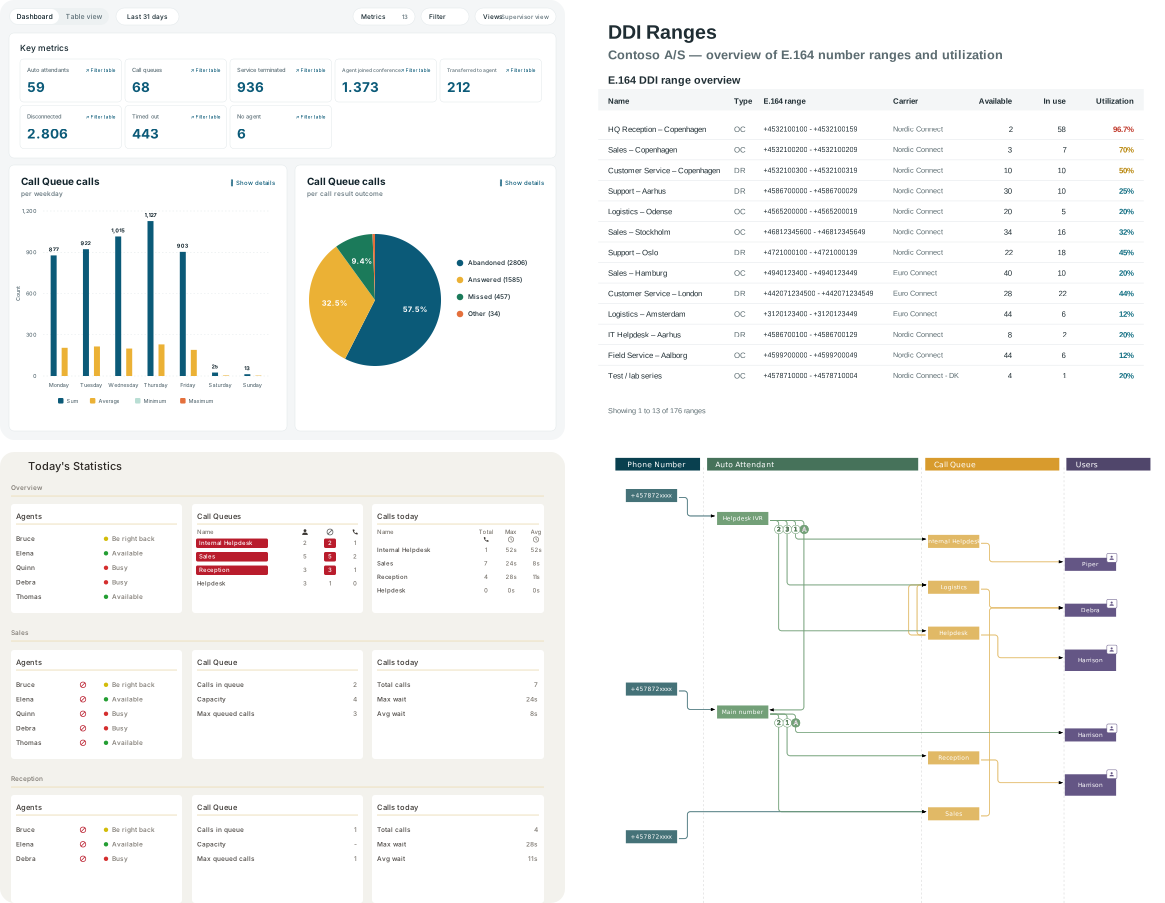
Extends Microsoft Teams Phone with clearer insights and easier administration
Four product interfaces for administration, call flow design and analysis in Microsoft Teams Phone
80.000+users worldwide
600+customers
10+ yearsas Performance Metrics

When the business changes

Let Teams Phone adapt with the business

Telephony is often the first point of contact with your business. New employees, updated opening hours and changing customer needs all affect how calls should be handled. Changes need to be easy to make, with a clear overview, defined responsibilities and without unnecessary technical processes.

01

See call activity as it happens

Monitor queues, wait times and agent availability so you can respond to the situation as it unfolds.

Real-Time Dashboard

02

Use call history to plan ahead

Identify patterns in calls and use them to plan staffing, opening hours and call flows.

Call Analytics

03

Make changes without losing the overview

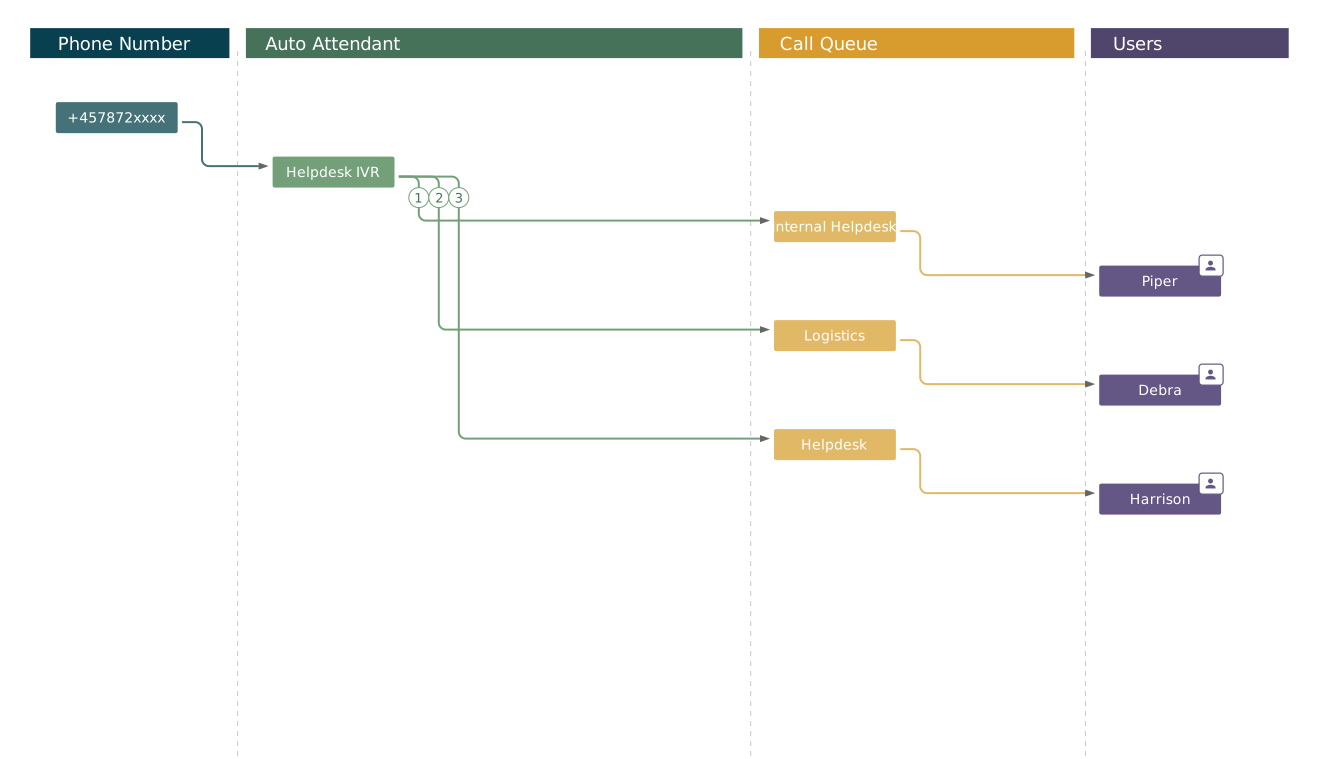
Manage phone numbers, auto attendants, call queues and access as your organisation’s needs change.

DDI Manager and Call Flow Designer

04

Delegate Teams Phone administration

Give employees access to the Teams Phone tasks they need to manage – without direct access to Teams admin center.

For day-to-day Teams Phone management
Monitor activity, adapt call flows, analyse call history and manage phone numbers.

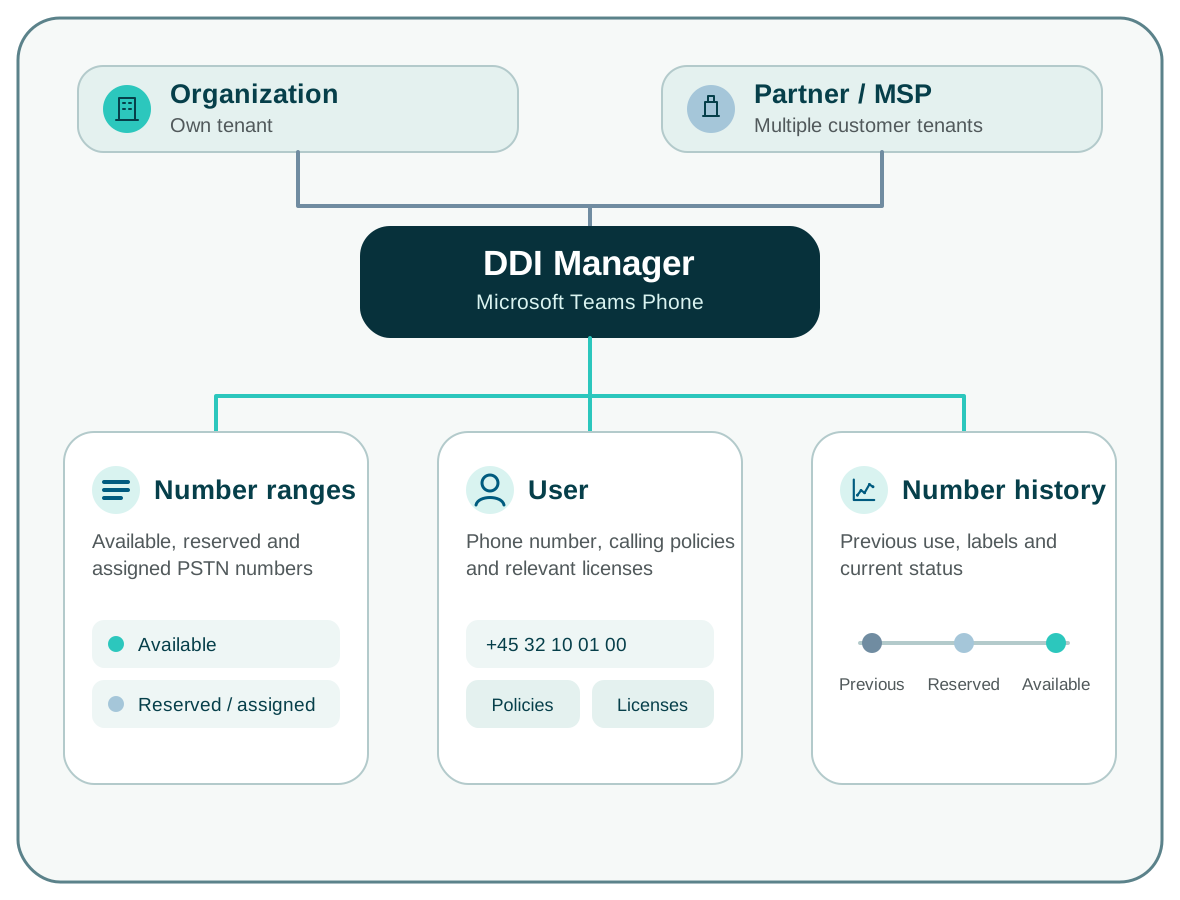
DDI Manager showing phone numbers, number ranges, assignments and reservations
Phone number management

Bring phone numbers, number ranges, assignments and reservations into one register – across operators and tenants.

See DDI Manager →
Administration and access

Give the right people access to the right Teams Phone tasks.

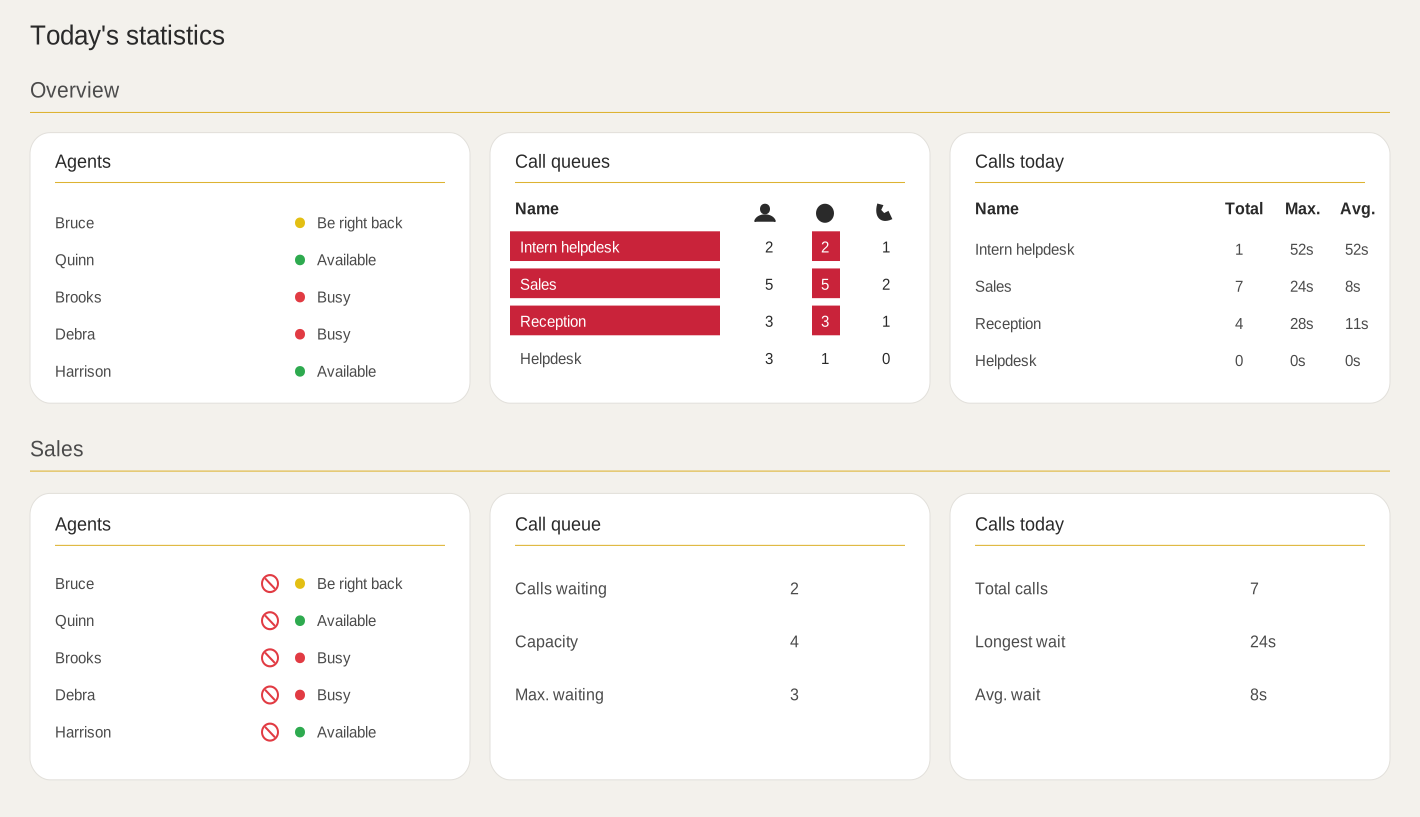
Coherence provides access to Performance Metrics products for Microsoft Teams Phone. Users can manage the relevant Teams Phone tasks without broad access to Microsoft Teams admin center.

Organisation

One place for Teams Phone administration

Users sign in to Coherence and open the products relevant to their work. Access is limited to the Teams Phone tasks they are responsible for.

Shared platform

Coherence

Provisioning · access control · product access

Real-Time DashboardCall Flow DesignerCall AnalyticsDDI Manager
Partner / MSP / telecom operator

Support multiple customers from one login

Select a customer in Coherence and open the products the user is authorised to access.

It may sound simple, but finding a solution that provides an overview as clear as DDI Manager has been difficult. Performance Metrics has cracked it.
Lasse Thorning Pedersen
CEO · RackPeople

RackPeople on DDI Manager

Select the right organisation.

Select the customer or partner you want to work with.

  • How many phone numbers are there?
  • Which phone numbers are assigned to which employees?
  • Which phone numbers are available?

Practical information

Questions before the next step.

Do we need to replace Microsoft Teams Phone?

No. Microsoft Teams Phone continues to handle the telephony itself. Our products extend Teams Phone with administration, access control, real-time insight and historical analysis.

Can we start with a single product?

Yeah. You can start with one product and expand as needed.

Where is data processed and stored?

Coherence runs in Microsoft Azure. The geographical location depends on the specific delivery. If your organisation has specific data location requirements, we'll clear them as part of the solution.

Next step

See how Teams Phone tasks are handled in practice.

In a focused product walkthrough, we show how to manage phone numbers, call flows and access, and how to monitor current activity and analyse call history.