Coherence | Teams Phone administration and provisioning Skip to content


Administration and provisioning platform

Bring Teams Phone administration together.

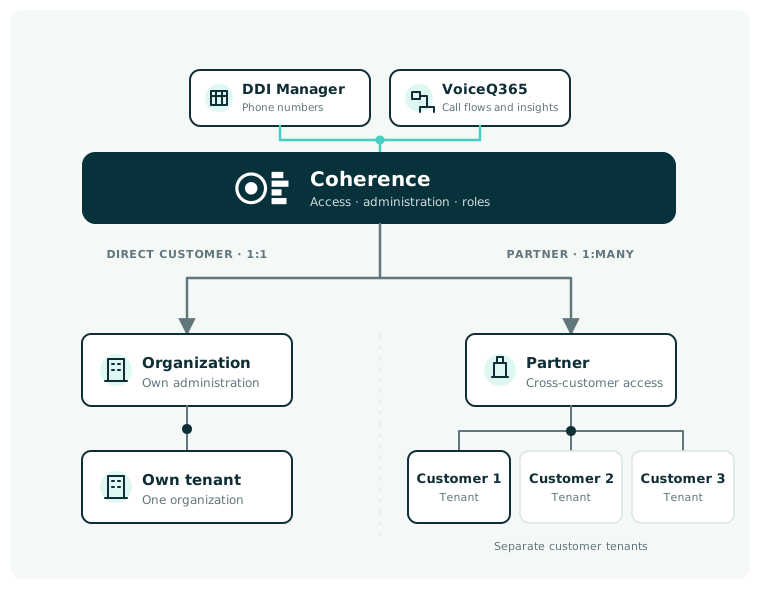
Coherence provides one point of access to products and Teams Phone administration. Organisations open their products directly, while partners can work across customers’ Microsoft 365 tenants from the same login.

Access limited by taskOrganisations go directly to their productsPartners switch customers from the same login
DDI Manager and VoiceQ365 are accessed through Coherence by organisations and partners
1shared platform
Role-basedaccess
Multiple customersfrom the same login

Products accessed through Coherence

Monitor, understand and manage Teams Phone with VoiceQ365 and DDI Manager.

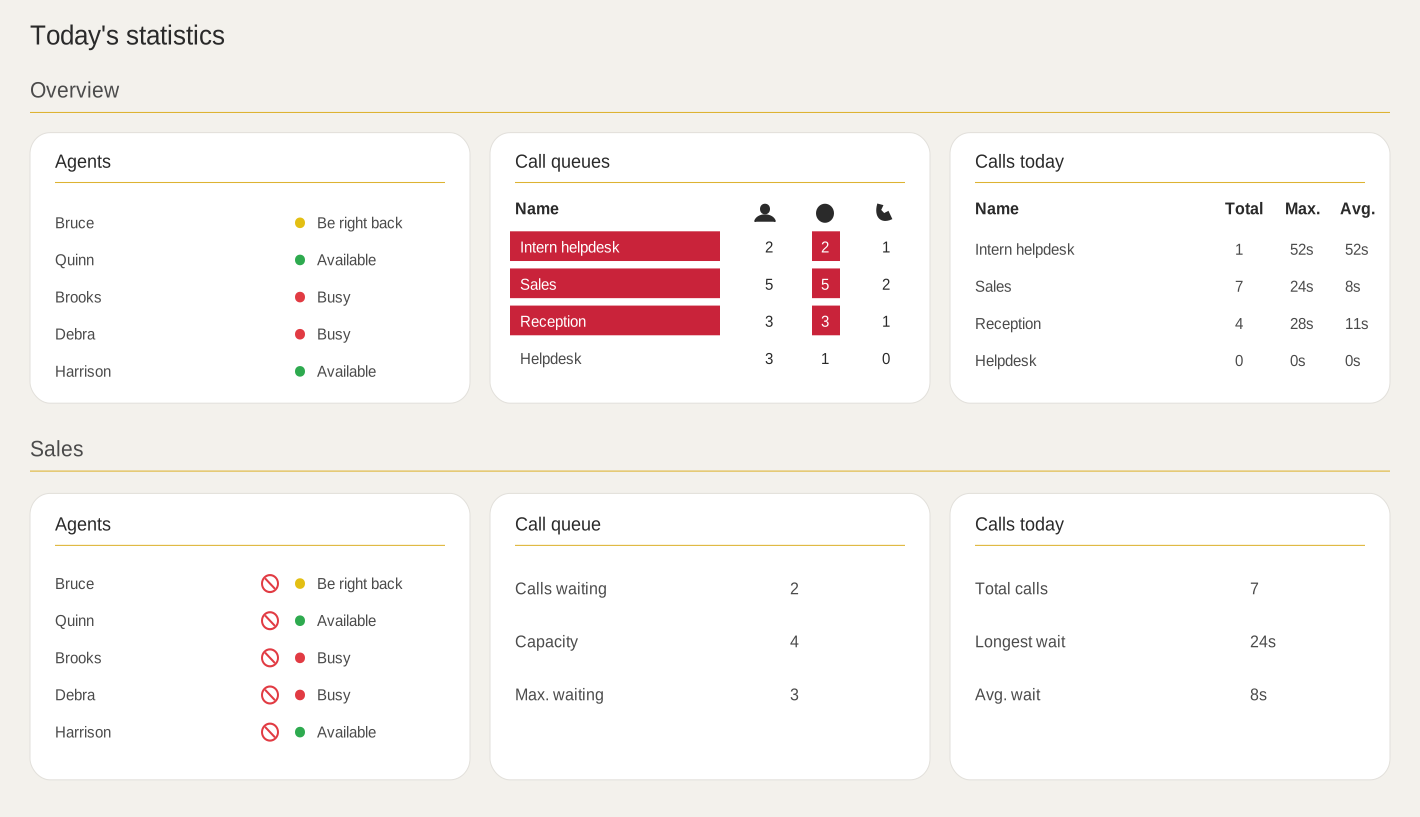
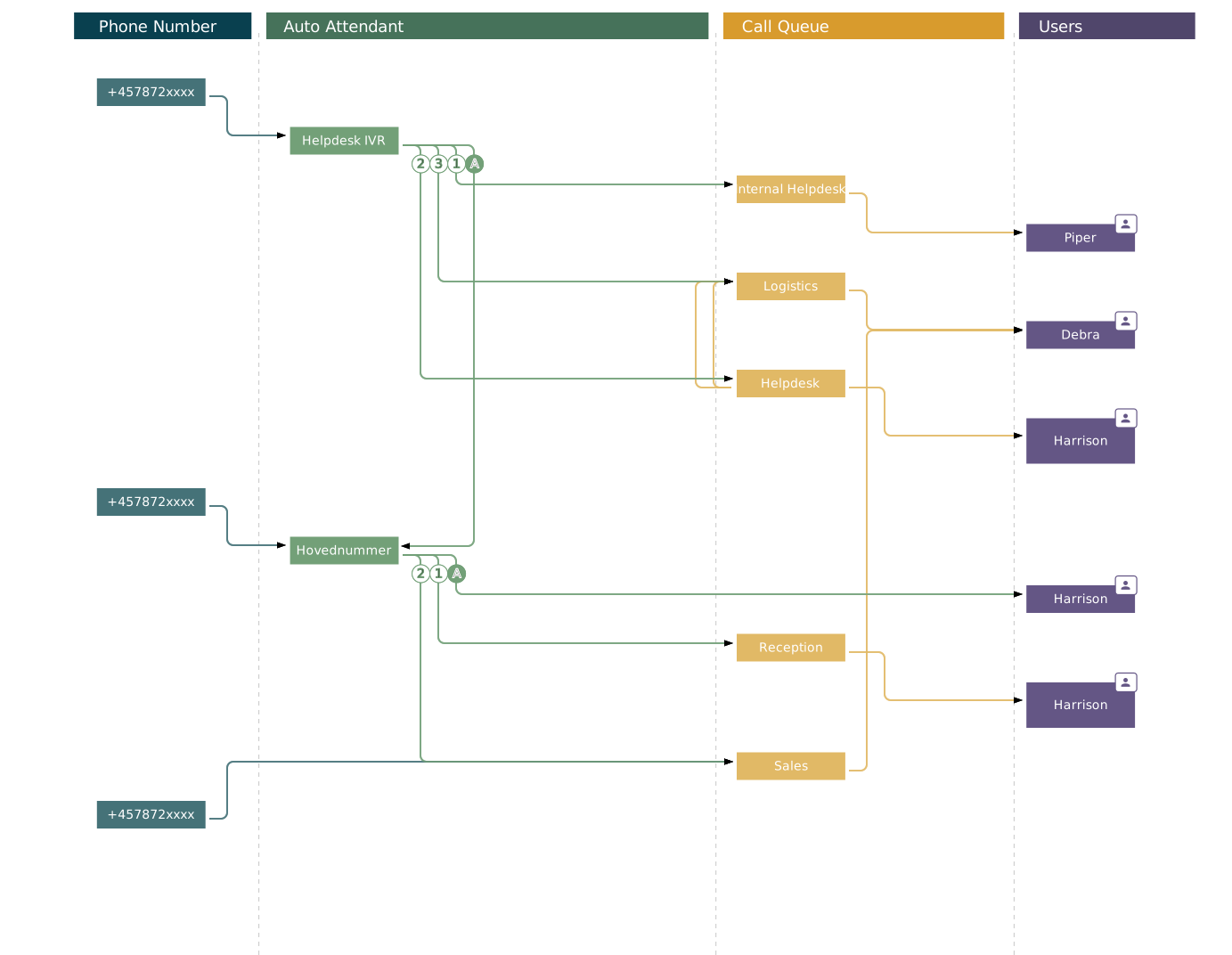
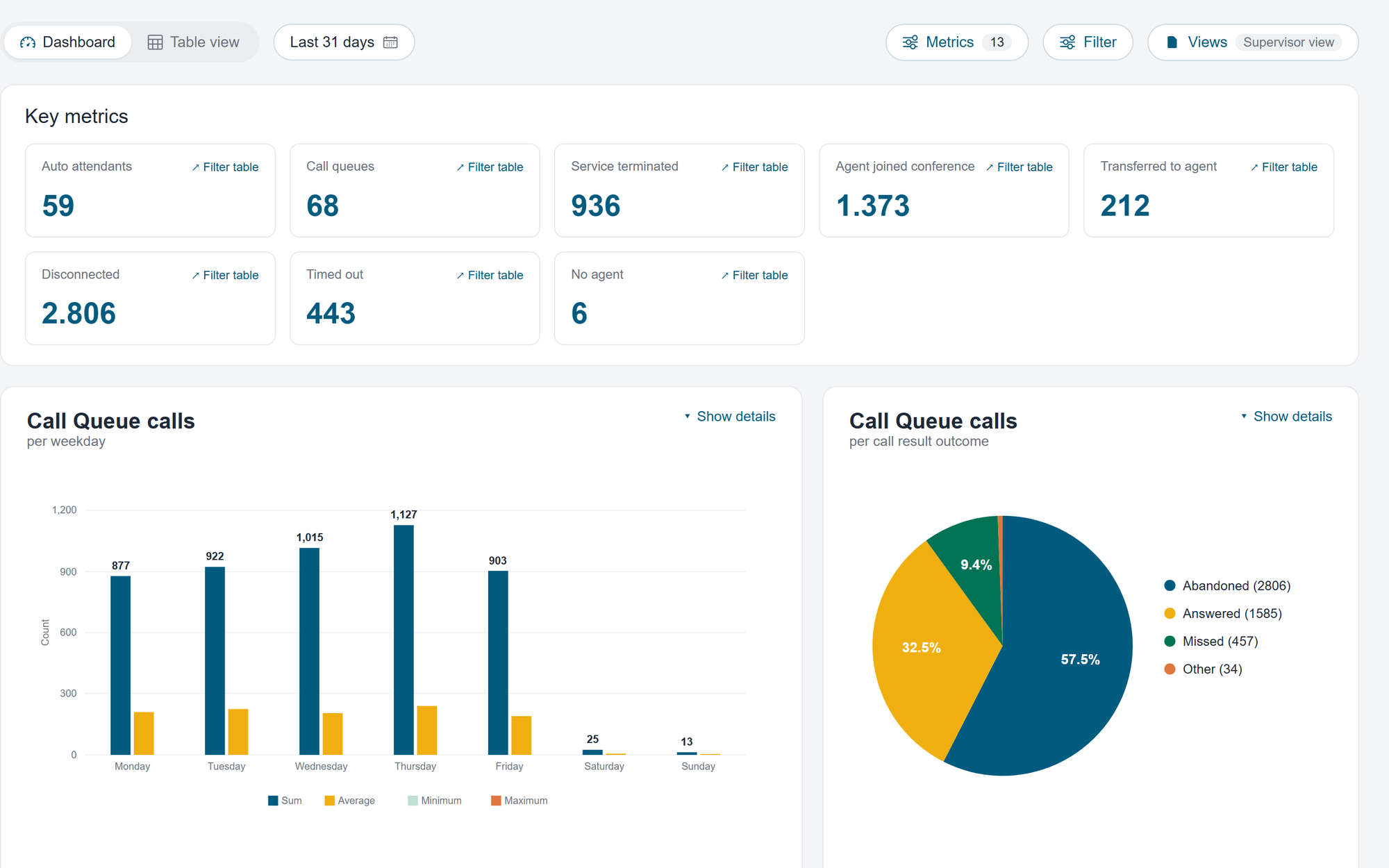
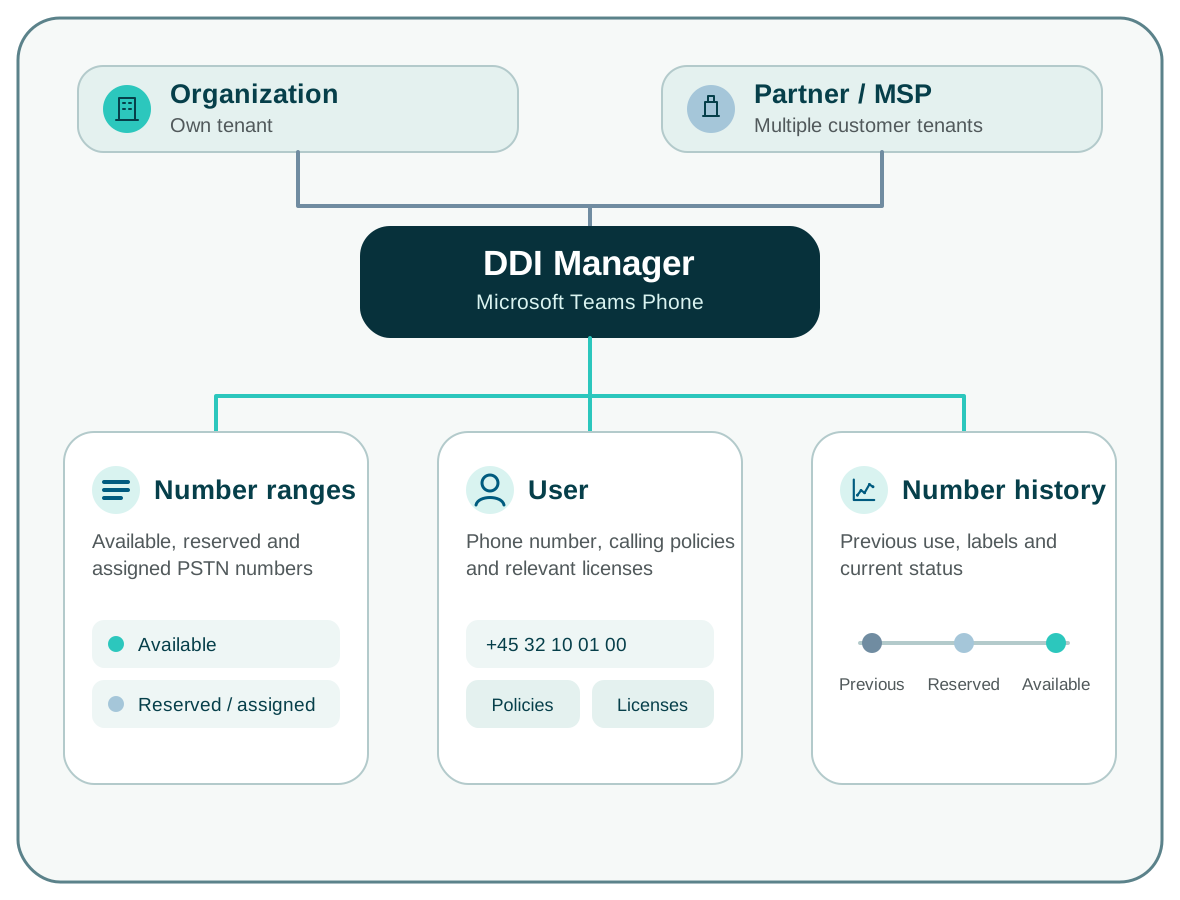
VoiceQ365 shows current call activity, makes call flows easier to manage and uses historical call data for analysis and planning. DDI Manager brings together the administration of phone numbers, assignments, licences and calling policies. Organisations use the products for their own Teams Phone setup, while partners can use the same products across customers.

The role of the platform

Organisations open products directly. Partners select the customer first.

Coherence shows the products and Teams data available to each user. An organisation’s own users go directly to their tasks, while partners and MSPs first select the customer they want to support.

Organisation

One place for Teams Phone administration

Users sign in to Coherence and open the products relevant to their work. Access is limited to the Teams Phone tasks they are responsible for.

Microsoft Teams Phone

Coherence

Access · roles · product access · provisioning

Real-Time DashboardCall Flow DesignerCall AnalyticsDDI Manager
Partner / MSP

Select the customer you want to support

The user selects a customer and then opens the products available for that customer.

Workflow

From sign-in to the specific Teams Phone task.

01

Sign in

The user signs in to Coherence using the organisation’s identity.

02

Select a customer

An organisation’s own users continue directly. Partners select the customer they want to support.

03

Open the product

Open Real-Time Dashboard, Call Flow Designer, Call Analytics or DDI Manager according to the task.

04

Complete the task

Monitor call activity, manage call flows, analyse historical data or work with phone numbers.

Security and control

Control access to customers, products and functions.

Role-based access

Users only get access to the customers, products and functions required for their work.

Keep customer data separated

When a partner selects a customer, Coherence only displays that customer’s data and products.

Work with the selected organisation

Coherence uses Teams data from the organisation selected by the user.

FAQ

Frequently asked questions about Coherence

Is Coherence a telephony system?

No. Coherence is the administration and provisioning platform that provides access to Performance Metrics products for Microsoft Teams Phone.

What is the difference between an organisation and a partner?

A company works in its own Microsoft Teams tenant. A partner or MSP can choose from the separate customer tenants to which the employee has access.

Which products are accessed through Coherence?

Dashboard, Call Flow Designer, Call Analytics and DDI Manager are accessed through Coherence. They are independent products and can be used separately. Wito Attendant is not currently integrated into Coherence.

Can access be controlled per user?

Yeah. Role-based access is used to define which tenants and functions each user can work with.

Do we have to purchase all products?

No. Coherence collects access, but you choose the products that suit your needs.

Where is data processed and stored?

Coherence runs in Microsoft Azure. The geographical location depends on the specific delivery. If your organisation has specific data location requirements, we'll clear them as part of the solution.

See Coherence in practice

See Coherence based on the tasks you need to manage.

We show how users in an organisation go directly to the relevant products. For partners, we also show customer selection and workflows across multiple customers.