Aggregate figures hide the call path
An answered or missed call does not by itself show which auto attendants, call queues and destinations it passed through.
The call journey lacks context.
VoiceQ365 · Call Analytics
For Teams Phone owners, IT operations, queue managers, service managers and partners.
The challenge
Call volumes and average wait times show the overall trend. They do not always explain how calls moved through auto attendants and call queues, or where they were answered, transferred or ended.
An answered or missed call does not by itself show which auto attendants, call queues and destinations it passed through.
The call journey lacks context.
Wait times and call outcomes can vary between call queues, weekdays and periods.
Those differences need to be investigated.
A completed, transferred or missed call does not by itself show where the journey changed or ended.
The individual call journey needs to be traceable.
Call Analytics in practice
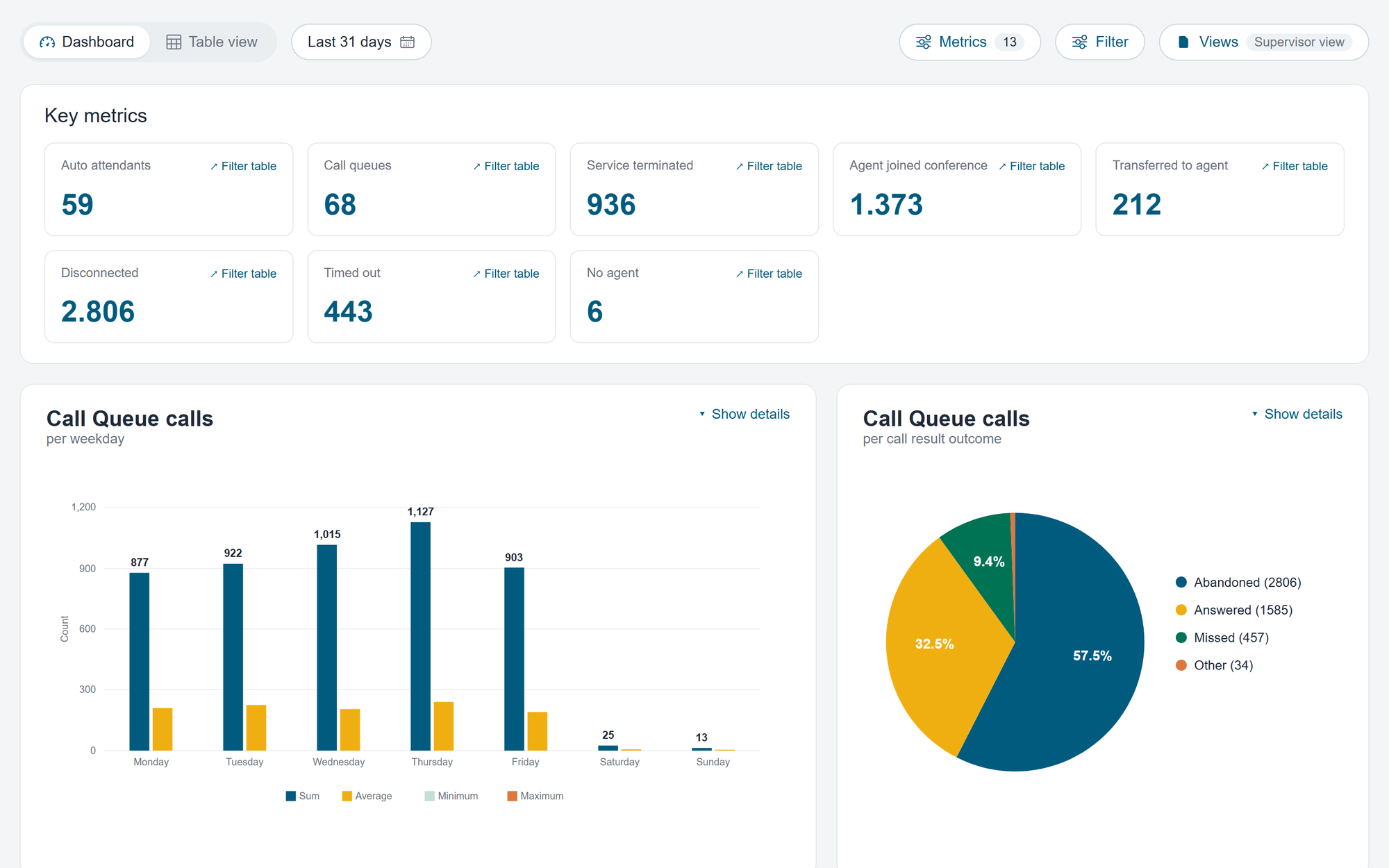
The views provide different ways to explore historical KPIs, call journeys and exports.
Identify where call volumes, wait times and missed calls require further investigation.
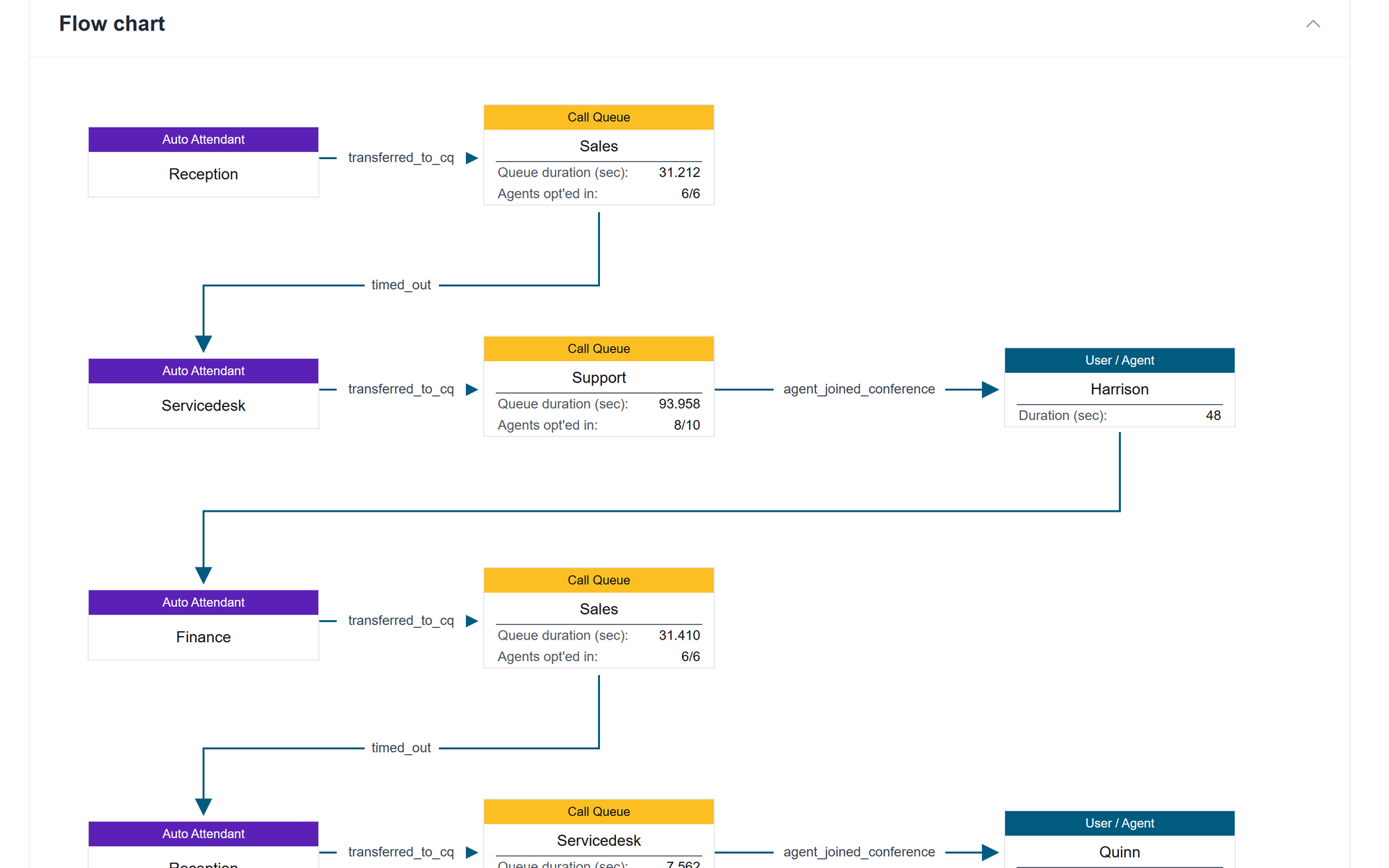
See how the call moved through automatic conversions, call queues, agents and destinations.
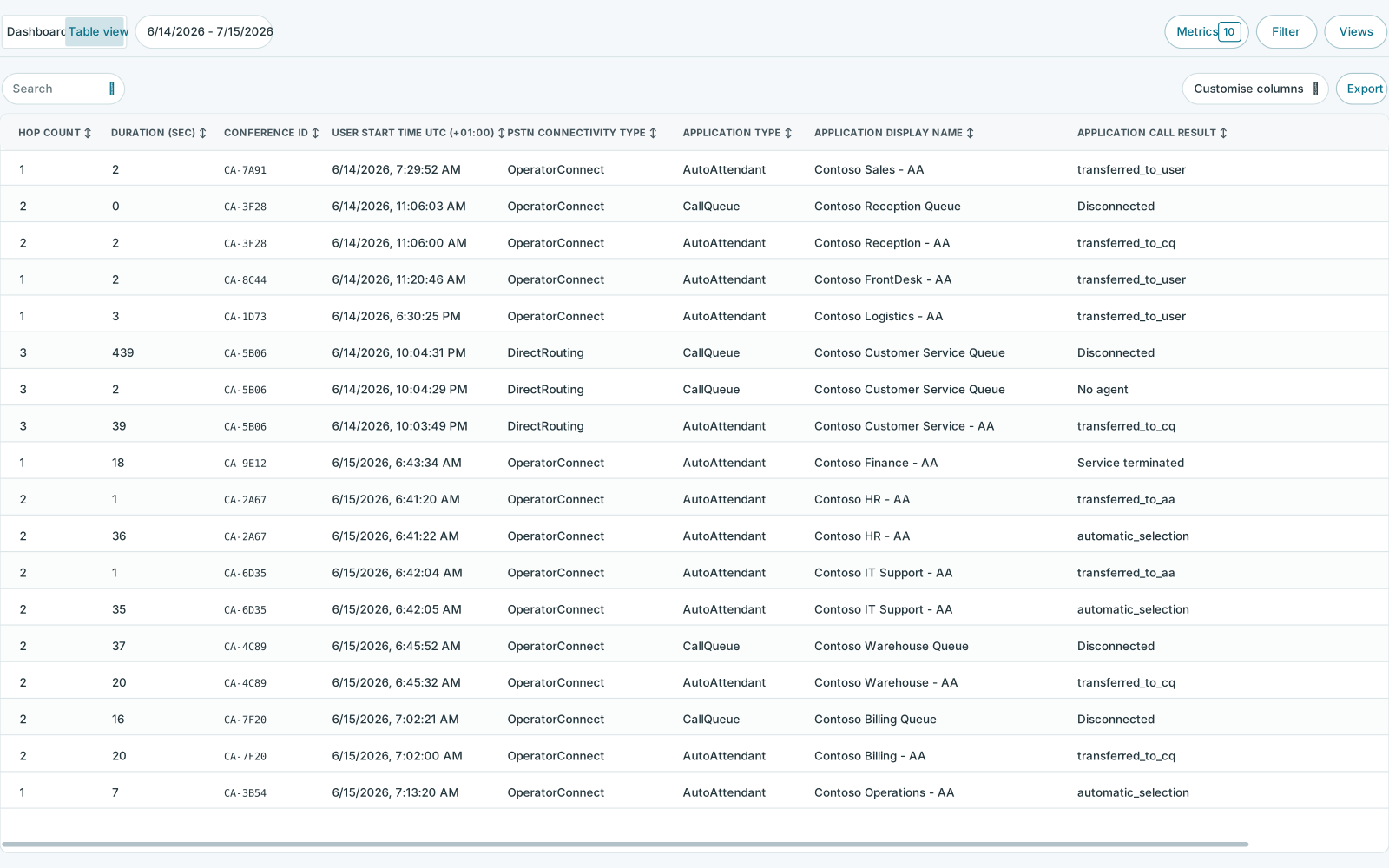
Filter and examine historical calls, waiting times and results in a single table view.
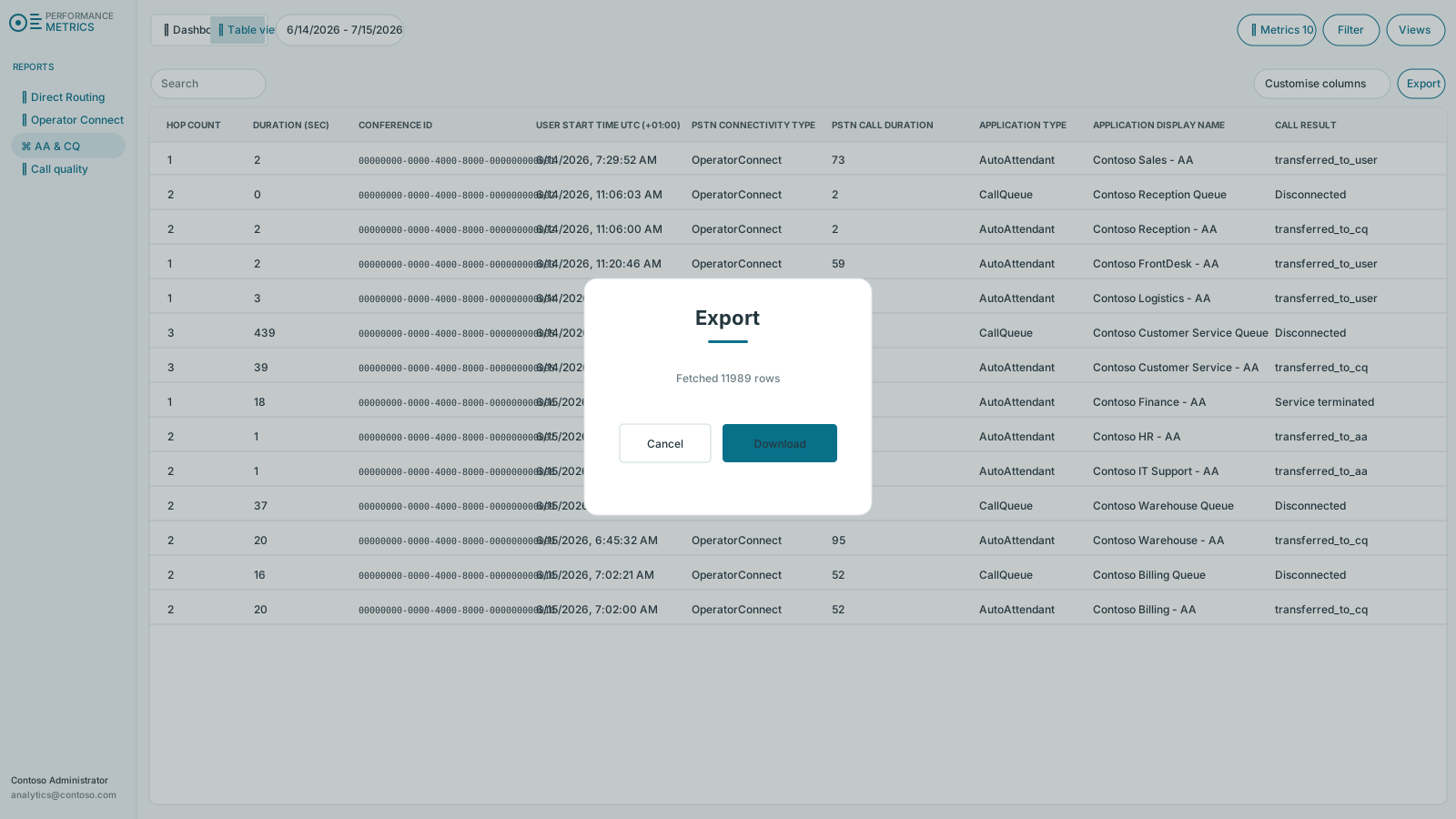
See Call Analytics →Export the selected data for further analysis and documentation.
From patterns to individual call journeys
Start with patterns across periods and call queues. Then use filters, the table view and Hop Count to investigate the call journeys that require further explanation.
Compare offered, answered and missed calls, together with wait times, for the selected period.
Filter by call queue, period and outcome to find the relevant calls.
Use Hop Count to see the call path through auto attendants, call queues, agents and destinations.
Access, roles and audit trail are managed through Coherence.
Microsoft Teams Phone and Coherence
Call Analytics analyses historical data from Microsoft Teams Phone and remains separate from the real-time operational view in Real-Time Dashboard.
Through Coherence, access can be limited so users only see the historical data and functions they need.
Questions about Call Analytics
Among other things, you can analyse the availability, response and loss of calls, response rates, waiting times, overflow, results per call line and agent or destination outcomes.
The Hop Count shows the call path through automatic changes, call queues, agents and destinations, so that the specific course can be examined step by step.
VoiceQ365 can support Microsoft Calling Plans, Operator Connect and Direct Routing. The actual setup depends on the tenant and integrations.
Access and roles are handled through Coherence so that the analytical views can be delimited according to the responsibility of the organisation or partner.
No. Microsoft Teams Phone handles the calls. Call Analytics provides historical insight into how they were handled.
Coherence runs in Microsoft Azure. The geographical location depends on the specific delivery. If your organisation has specific data location requirements, we'll clear them as part of the solution.
Next step
We show how to investigate wait times, call outcomes, trends and individual call journeys.